

Invoice Approval
What If Every Invoice Followed the Right Approval Path?
Route Every Invoice to the Right Approver.
Automate invoice approvals with configurable workflows, department routing, approval chains, and complete audit trails. Route invoices to the right people at the right time while maintaining accountability and visibility throughout the approval process.
Whether you're operating a country club, hotel, resort, senior living community, restaurant group, or multi-location organization, NxtEdge helps eliminate paper approvals, spreadsheet tracking, and disconnected email chains while ensuring invoices receive the proper review before payment or accounting export.
- Multi-Level Approval Workflows
- Department-Based Routing
- Approval Chains & Audit Trails
- Pending Approval Visibility
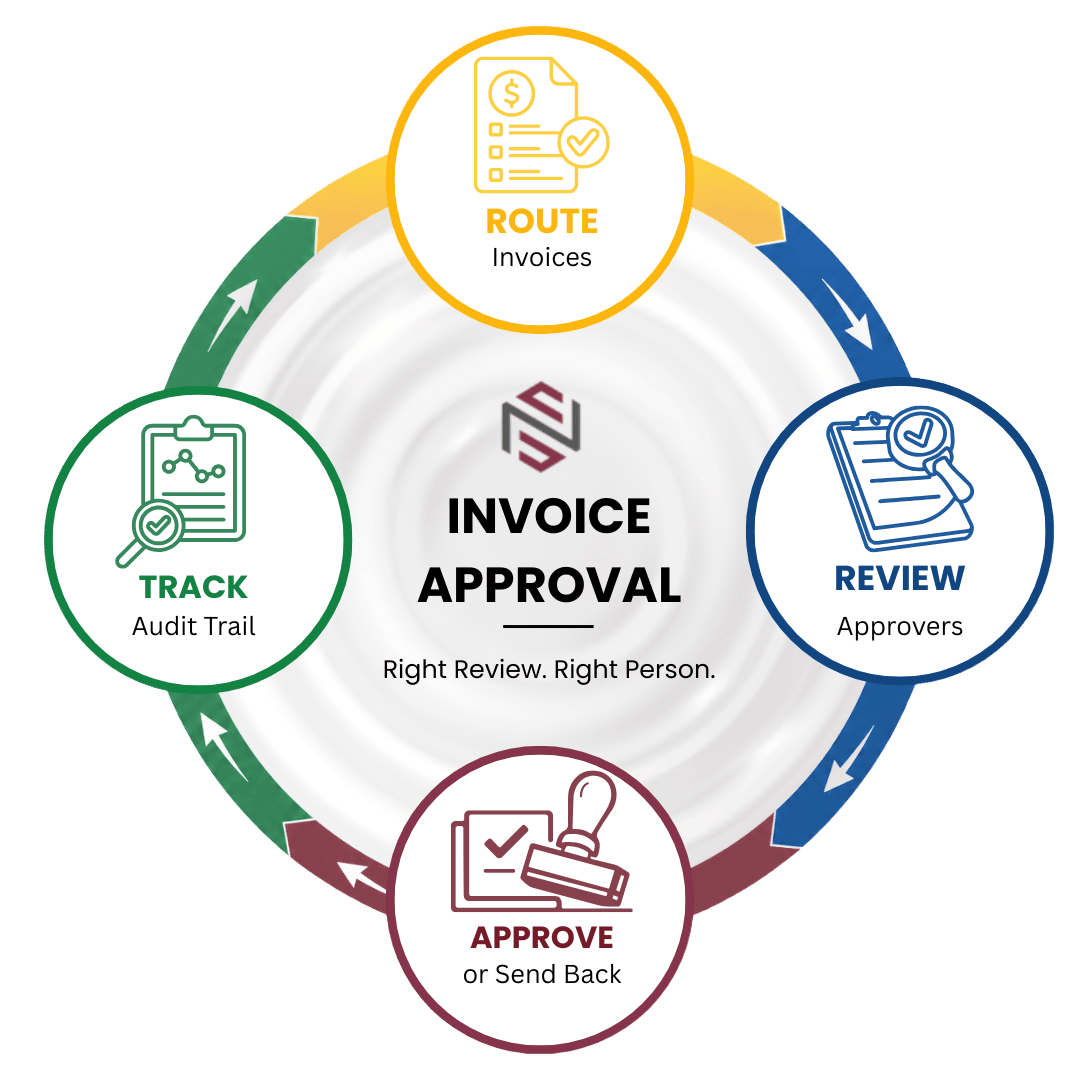

Configure, Route, Approve and Track
Create structured approval workflows that ensure invoices are reviewed by the right people before payment, accounting export, or operational processing.
Configure
Configure Approval Rules
Build approval workflows with one to four approval levels based on departments, locations, users, vendors, or operational requirements.
- 1–4 Approval Levels
- Department Routing
- Vendor Assignment
- User Permissions
- Approval Rules
Route
Route Invoices for Review
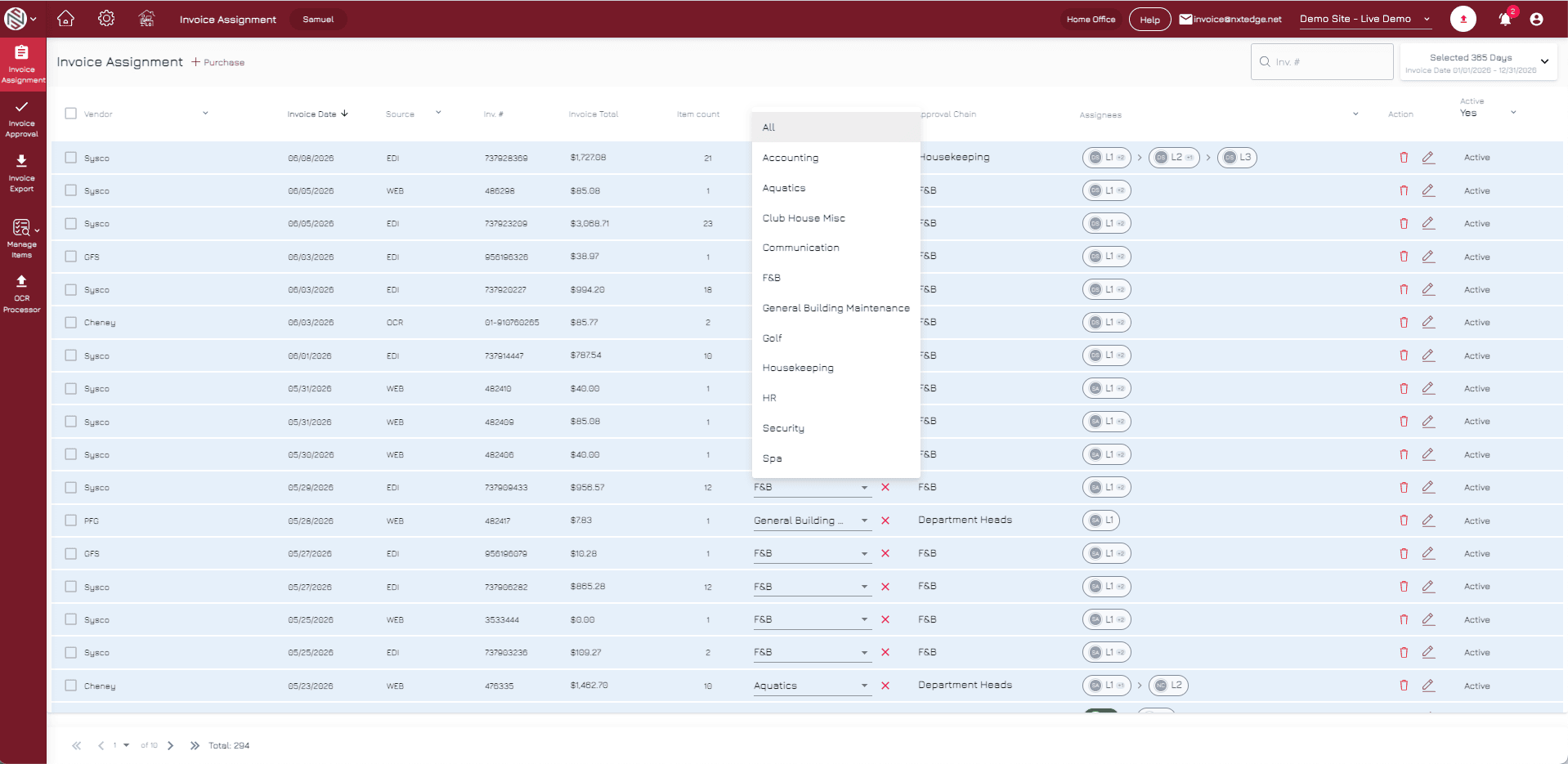
Automatically route invoices to the appropriate approval chain based on department, vendor, location, or business rules.
- Department Routing
- Vendor Routing
- Approval Chains
- User Assignment
- Automated Workflow
Approve
Approve or Send Back
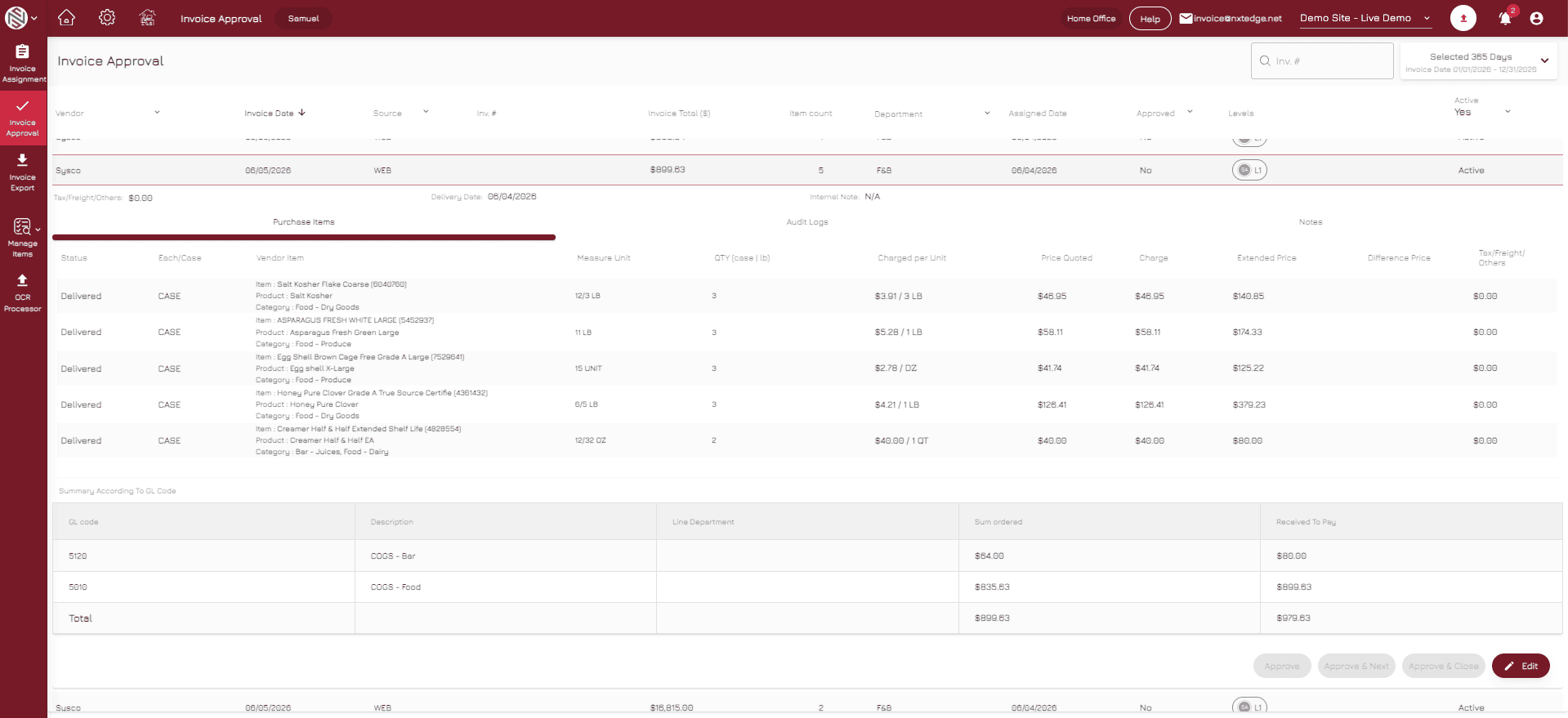
Approvers can approve invoices, send them back for clarification, add notes, upload supporting documentation, and override coding when necessary.
- Approve Invoices
- Send Back Workflow
- Approval Notes
- Image Attachments
- GL Code Overrides
Track
Track Pending Approvals
Monitor invoice status, approval history, user activity, and pending invoices through reports, dashboards, and audit trails.
- Pending Approval Reports
- User Tracking
- Approval Status
- Audit Trail
- Management Visibility
Approval Controls
Control Every Approval Before Payment.
Invoices shouldn't move to payment until the right people review them. NxtEdge automates invoice routing, approval workflows and authorization controls to ensure every invoice follows your organization's approval process.
From single-level approvals to complex multi-department workflows, NxtEdge provides complete visibility, accountability and control before funds are released.
Feature Highlights
- Multi-Level Approval Workflows
- Department-Based Routing
- Email Notifications & Reminders
- Approval Comments & Audit Trail
- Payment Authorization Controls
Features
Invoice Approval Built for Hospitality Workflows
Multi-Level Approval
Multi-Level Approval Workflows
Create approval workflows with one to four approval levels based on operational and financial requirements. Route invoices through the proper approval chain before payment or accounting export.
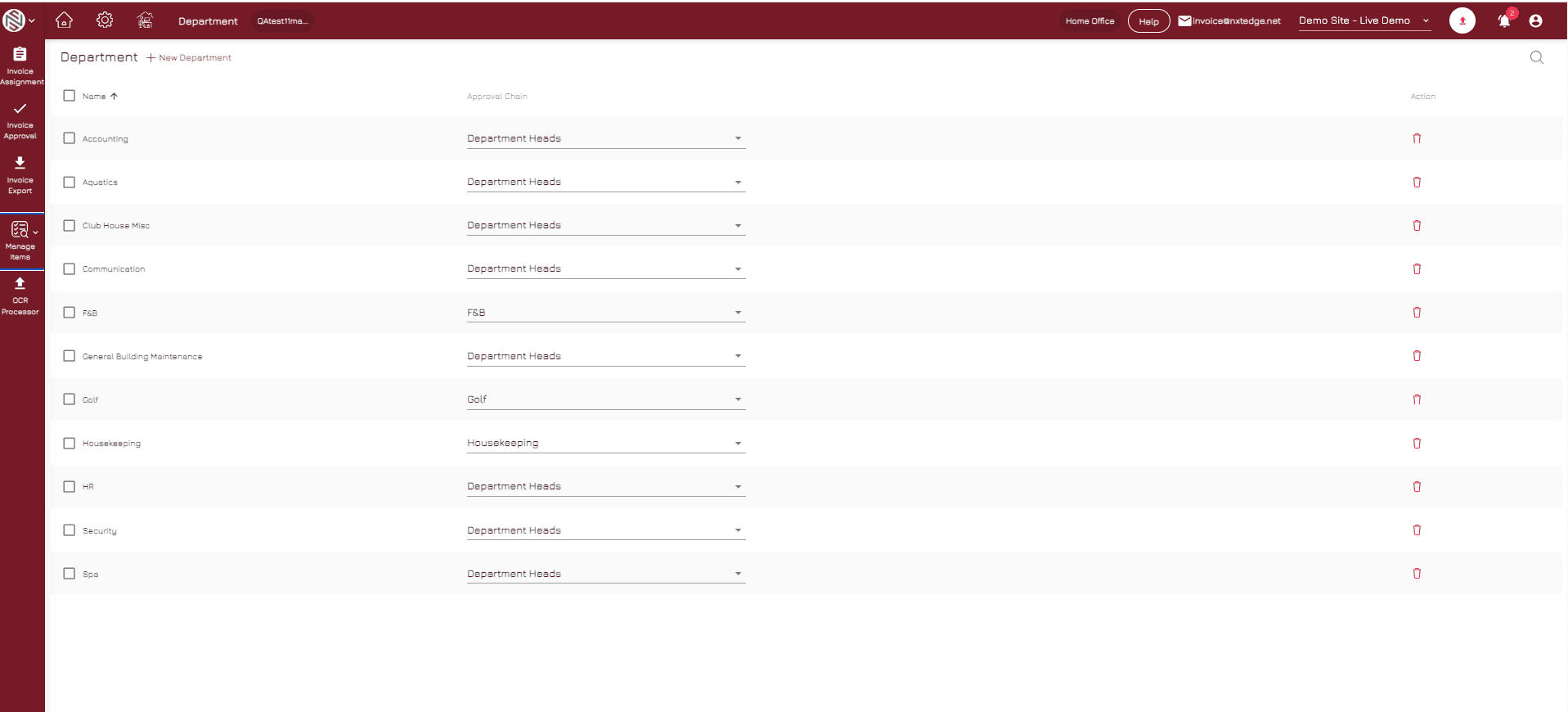
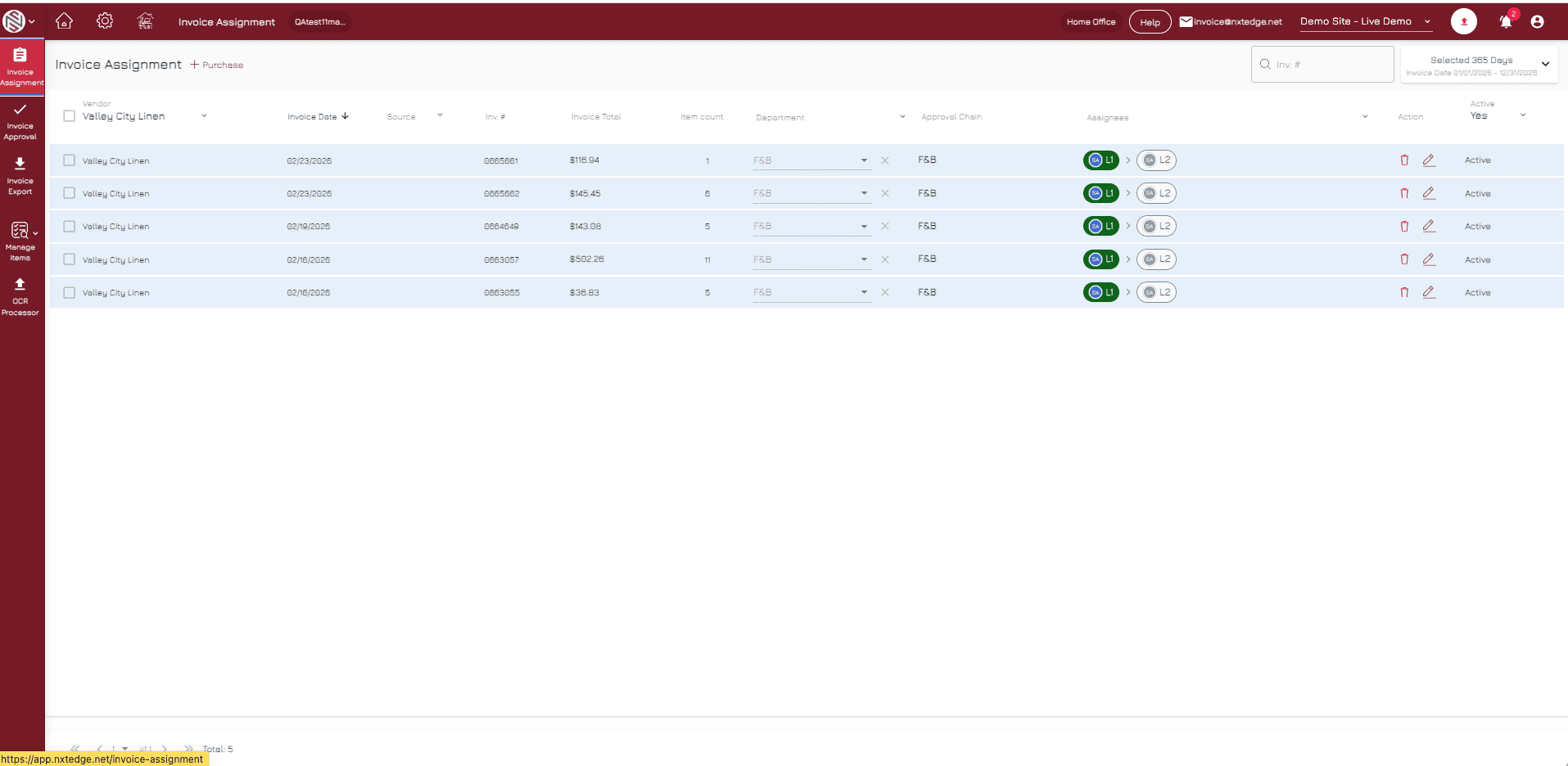
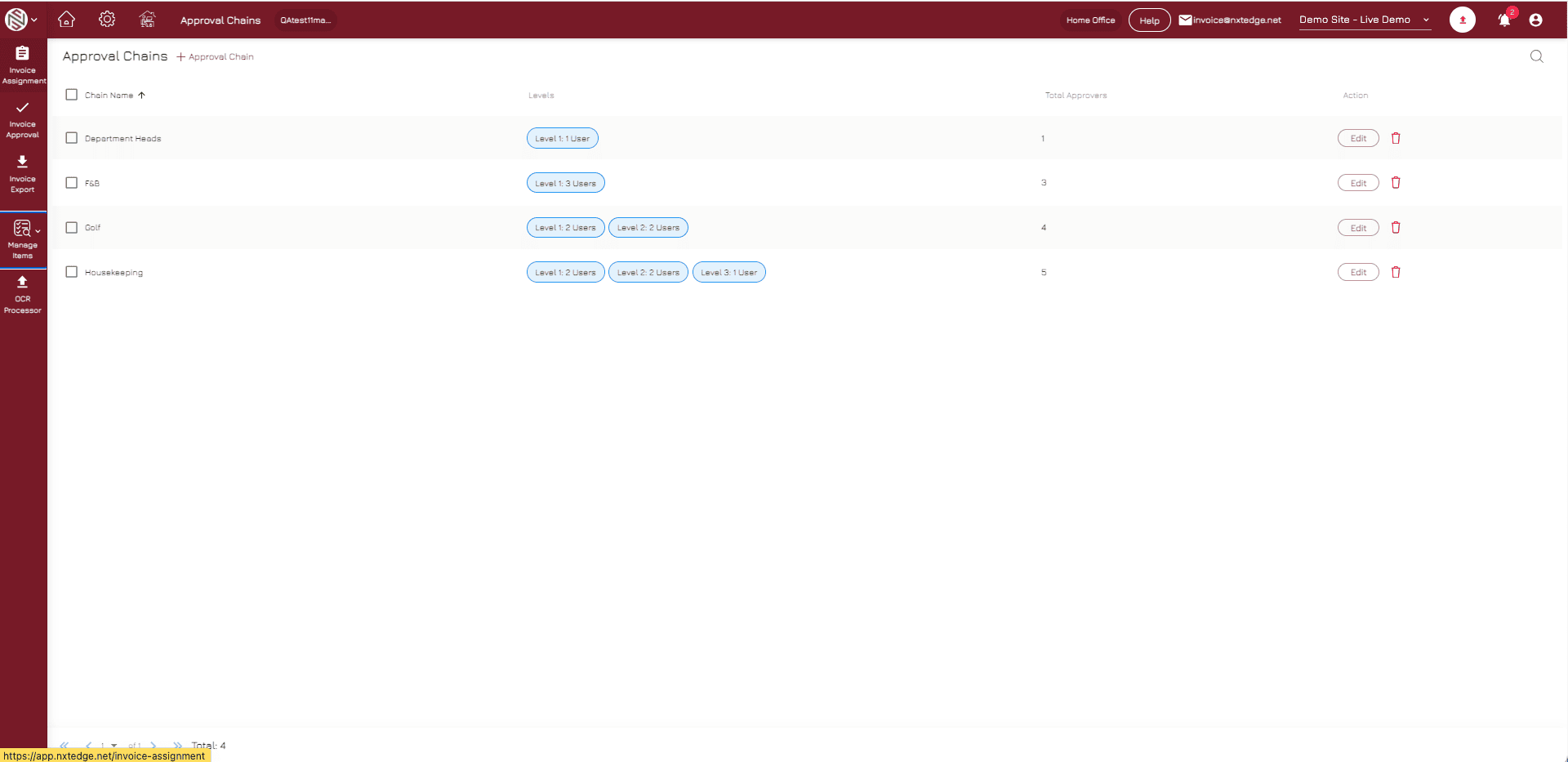
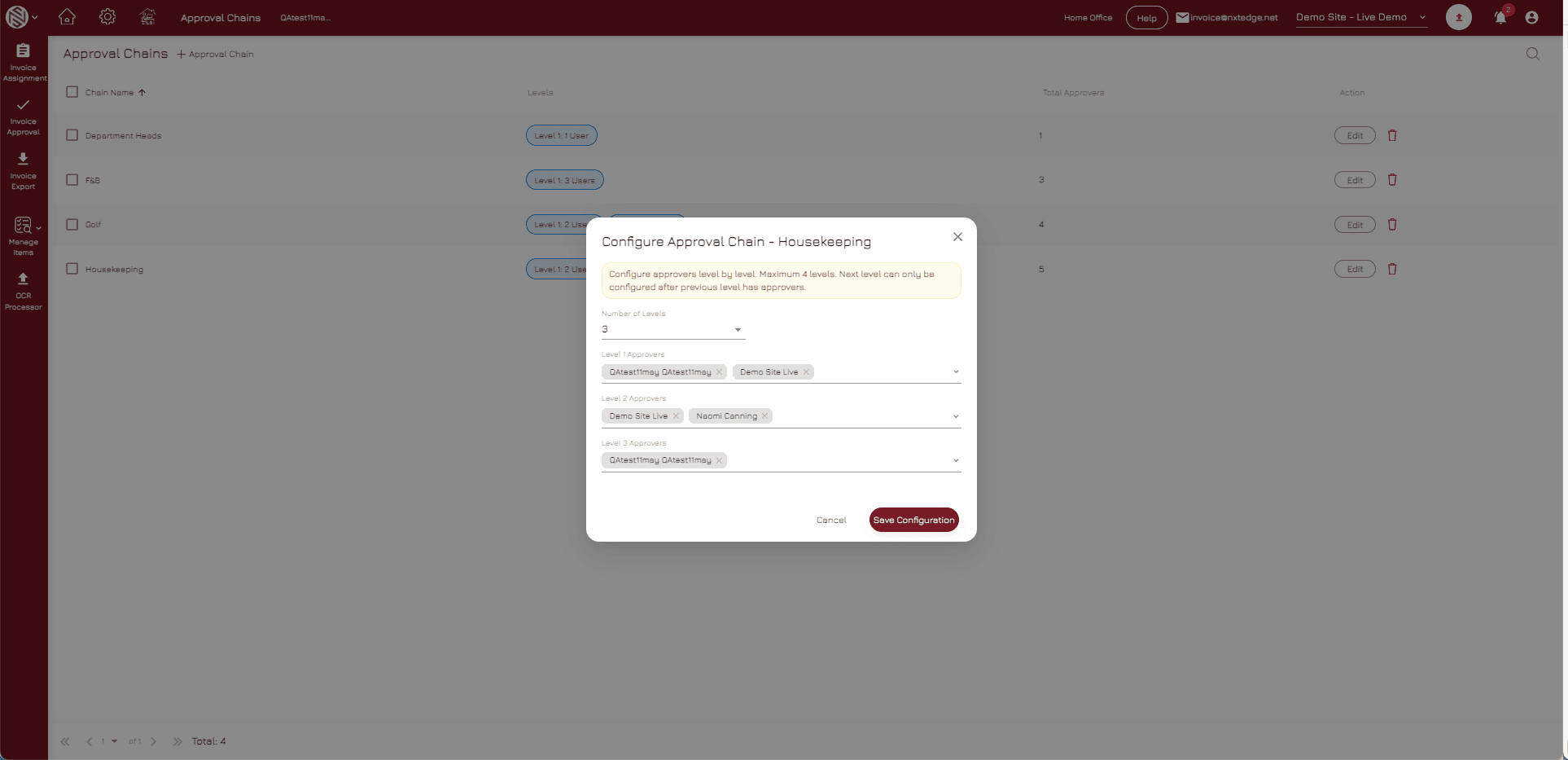
Approval Chains
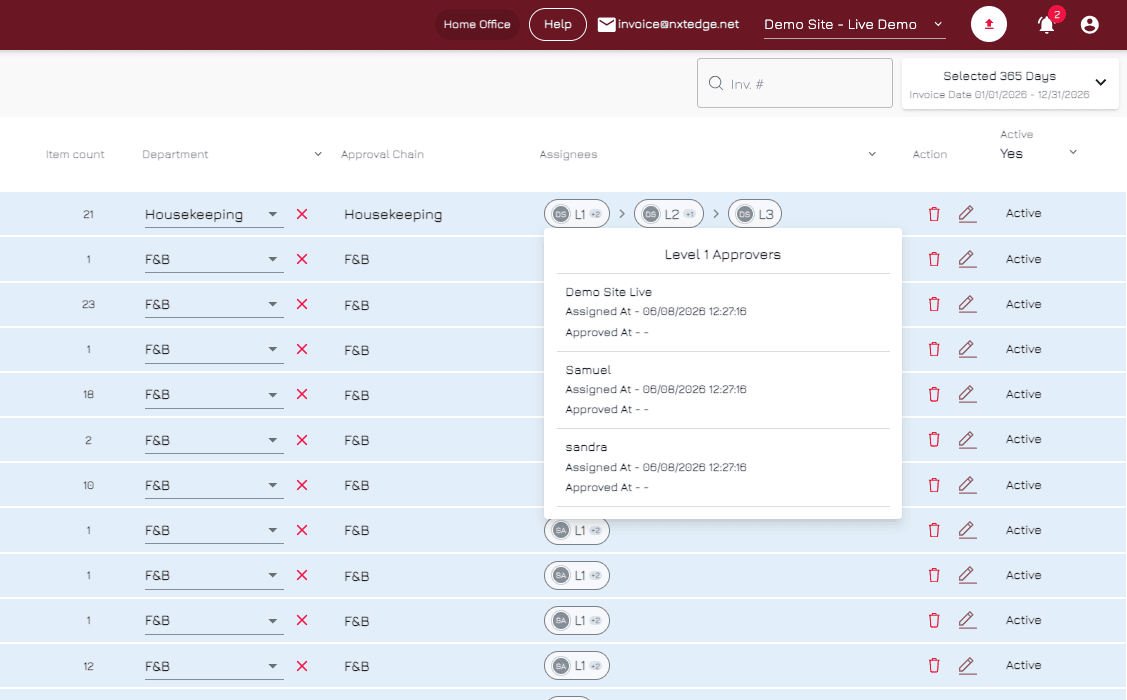
Flexible Approval Chains
Assign multiple users to the same approval level so invoices keep moving even when approvers are unavailable. Any authorized user can approve and move the invoice to the next step.
Communication
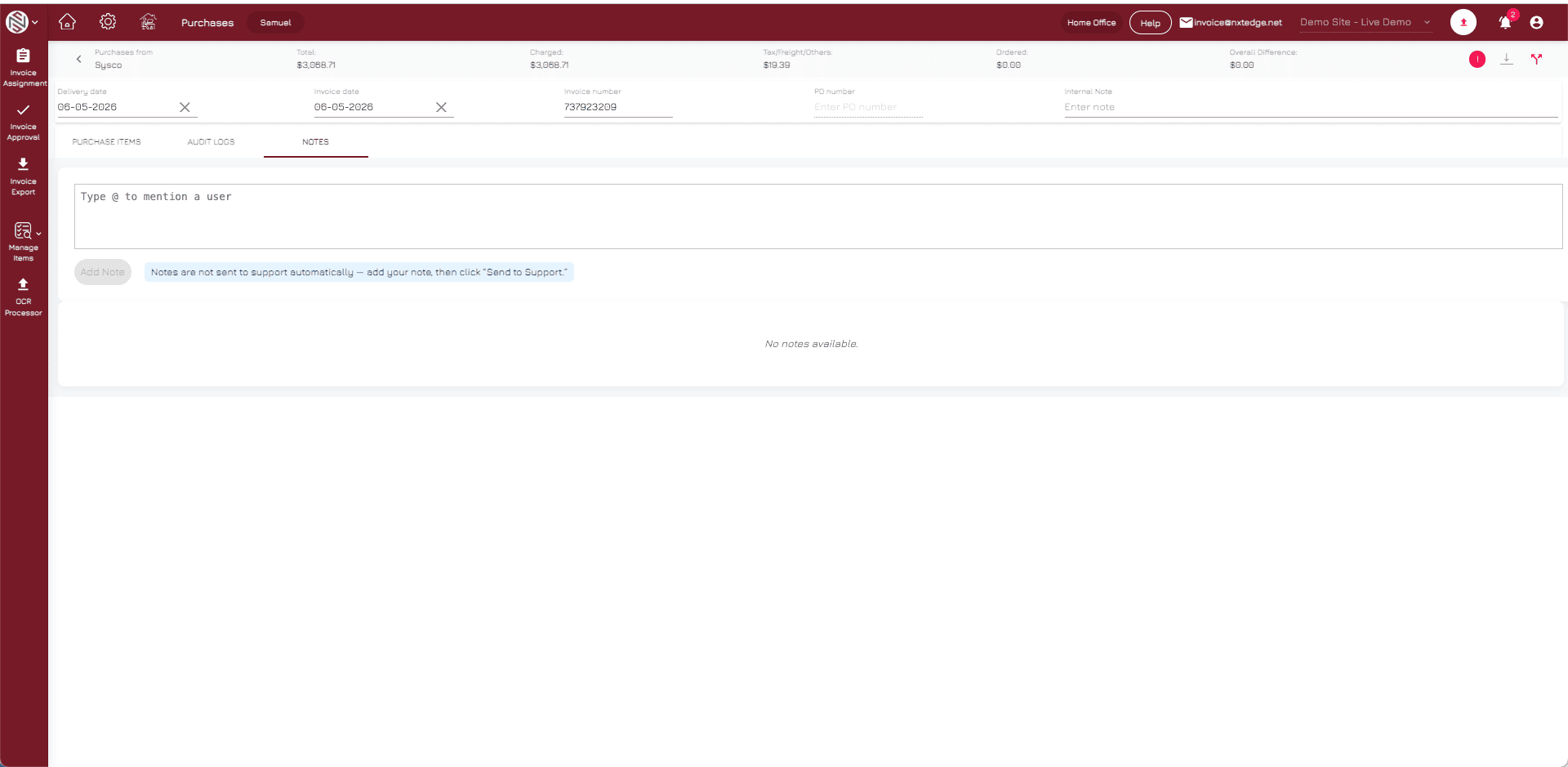
Send Back & Communication Tools
Approvers can send invoices back for clarification, correction, or review while maintaining communication through approval notes and email notifications.
Reporting
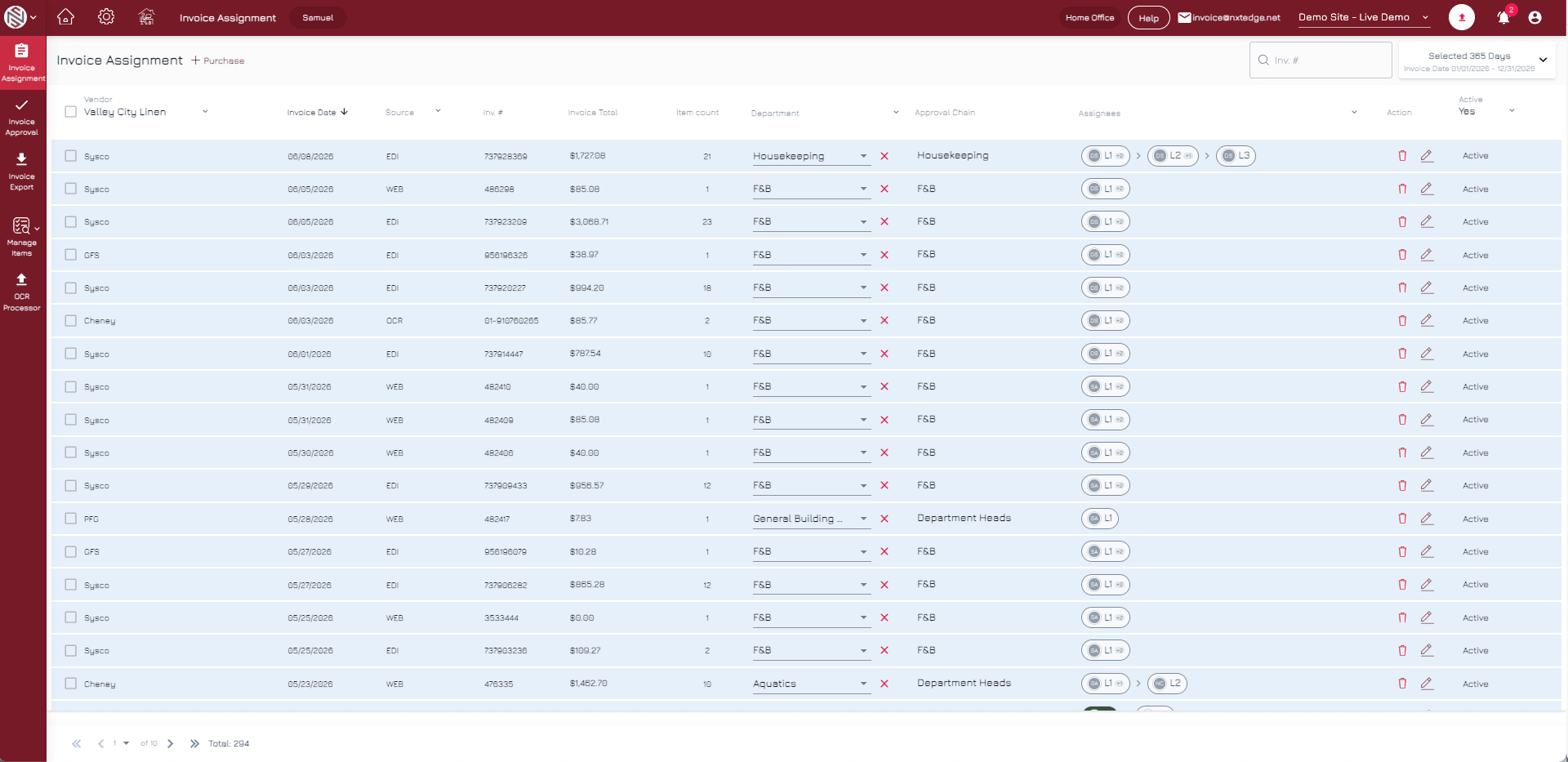
Pending Approval Visibility
Track invoices that have not been approved through user reports, management reports, dashboards, and automated notifications.
Department Control
Department-Level Control
Different departments can maintain separate approval workflows while management maintains visibility across the entire organization.
Why It Matters
Invoices Should Not Move Forward Without the Right Review
Paper approvals, spreadsheets, and disconnected email chains create delays, confusion, and a lack of accountability. Structured approval workflows ensure invoices are reviewed by the appropriate people before payment or accounting export.
Eliminate Paper Approvals
Replace paper routing, spreadsheets, and email chains with a centralized approval workflow.
Improve Accountability
Know exactly who reviewed, approved, rejected, or modified an invoice at every stage.
Reduce Approval Delays
Use approval chains, reporting, and automated notifications to keep invoices moving.
Benefits
Why Operators Use NxtEdge Invoice Approval
Stronger Financial Controls
Ensure invoices are reviewed before they are paid, exported, or processed.
Faster Invoice Processing
Reduce bottlenecks and keep invoices moving through structured approval workflows.
Complete Visibility
See where invoices are waiting and which users still need to take action.
Department Accountability
Assign responsibility to specific departments, managers, and approvers.
Reduced AP Risk
Prevent invoices from moving forward without proper review, documentation, and approval.
Connected Solutions
Approval Is Part of a Larger AP Workflow
Invoice Approval becomes even more powerful when connected to Invoice Automation, Bill Pay, Accounting Integration, and reporting. Once approved, invoices can continue through the next stage of your AP process automatically.
Why NxtEdge
Built for Hospitality Approval Workflows
Hospitality operations often require department-specific approvals across food and beverage, golf, spa, maintenance, housekeeping, administration, and other cost centers. NxtEdge provides the flexibility to support complex approval requirements while maintaining visibility and control.
Department-Level Flexibility
Configure approval workflows for different departments and operational requirements.
Approval Chains
Assign multiple users to approval levels so invoices do not get stuck with one individual.
Clear Communication
Send invoices back with notes and maintain communication throughout the review process.
Pending Approval Visibility
Use dashboards, reports, and audit trails to identify invoices requiring attention.
One Connected AP Platform
Invoice Automation, Approval Workflows, Bill Pay, Accounting Integration, and Reporting work together in one connected system.
Ready to Automate Invoice Approval?
See how NxtEdge helps hospitality organizations eliminate paper approvals, improve accountability, and create structured AP workflows from invoice receipt through payment.