

Bill Pay
What If Paying Vendors Took Minutes Instead of Hours?
Approve, Schedule, and Pay Vendors in One Place.
Approve, schedule, and pay invoices from a single platform. NxtEdge streamlines vendor payments through ACH, virtual card, and check processing while maintaining complete visibility into outstanding and completed payments.
Whether you're managing a restaurant, country club, hotel, senior living community or multi-unit operation, NxtEdge helps streamline the payment process from approval to reconciliation.
- ACH Payments
- Check Payments
- Virtual Card Payments
- One Connected AP Workflow
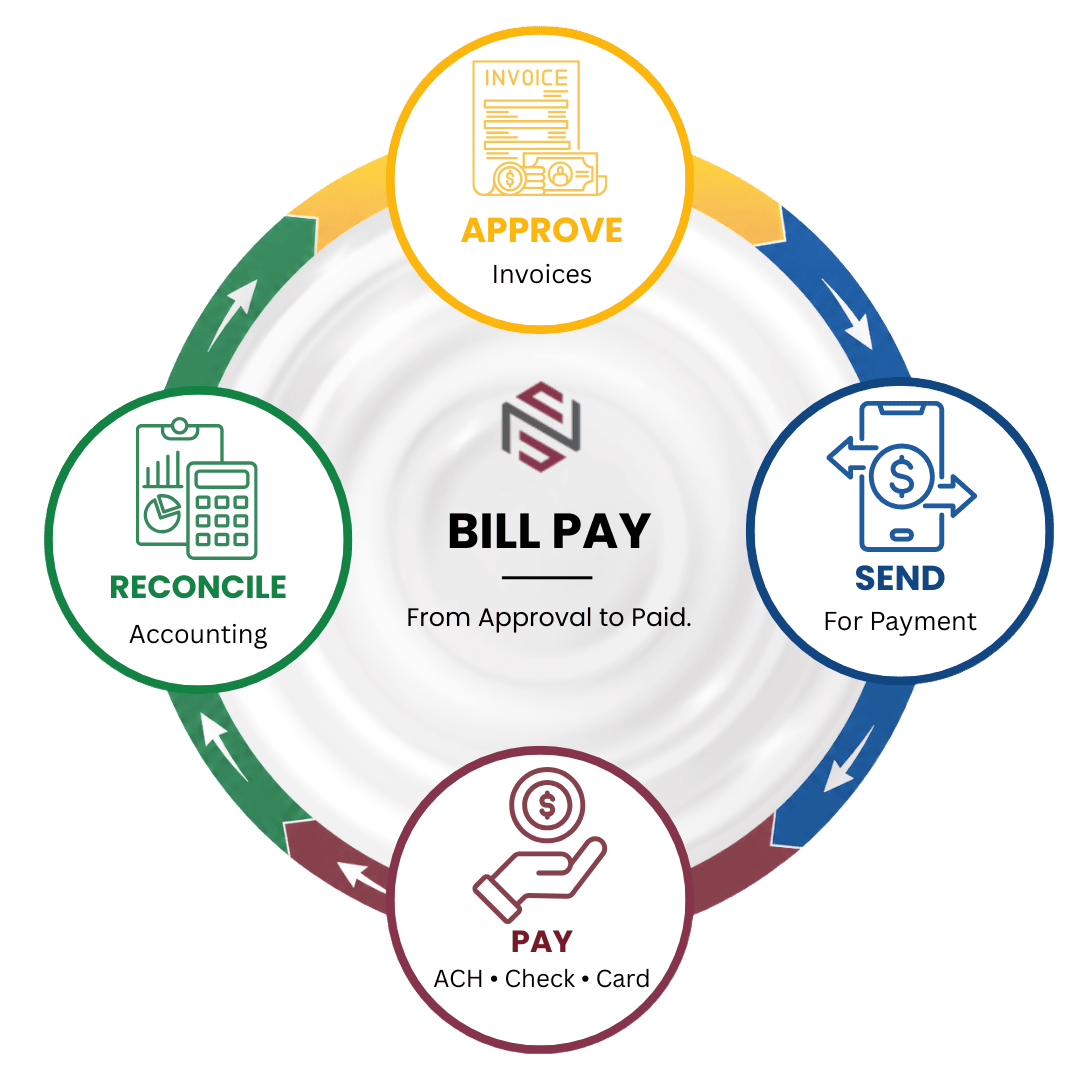

Approve, Submit, Pay and Track
Move approved invoices directly into payment processing without exporting spreadsheets, printing checks, or managing disconnected AP systems.
Approve
Approve Invoices
Invoices flow through approval workflows before payment processing. Organizations can use a single approval level or multiple approval levels based on operational requirements.
- Single User Approval
- Multi-Level Approval
- Department Routing
- Approval Audit Trail
- Approved Invoice Queue
Submit
Submit for Payment
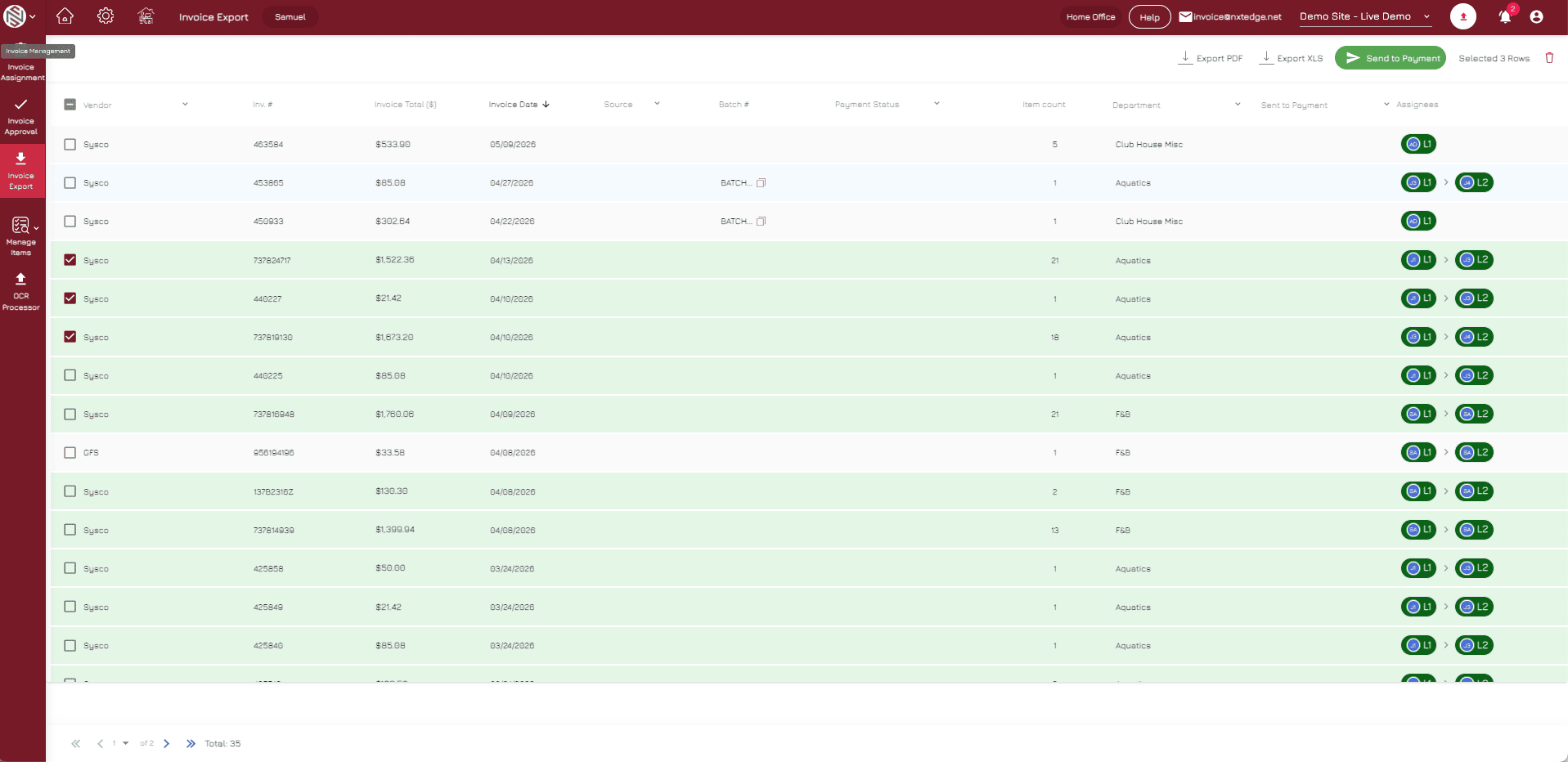
Authorized AP users select approved invoices and send them directly to payment processing from within NxtEdge.
- Payment Authorization
- Batch Processing
- Approved Invoice Selection
- Payment Submission
- AP User Permissions
Pay
Vendor Payment Processing
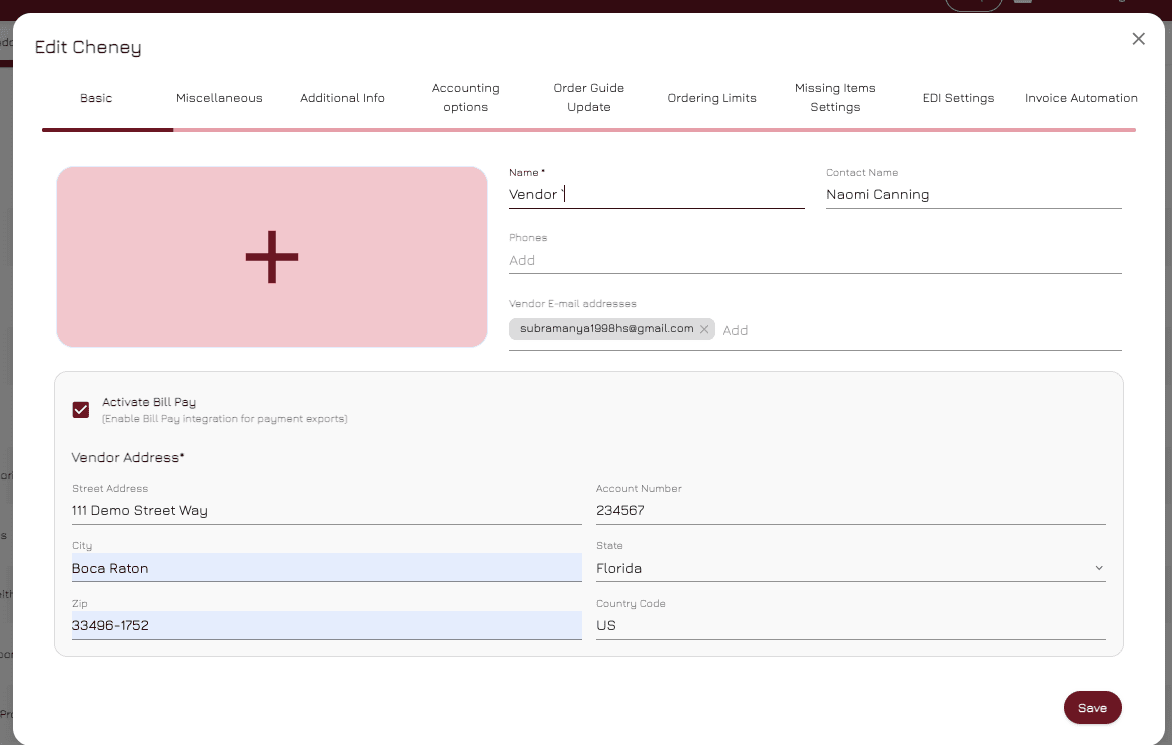
RePay processes payments and works directly with vendors to determine their preferred payment method.
- ACH Payments
- Virtual Cards
- Check Payments
- Vendor Enrollment
- Payment Processing
Track
Track Status & Reconcile
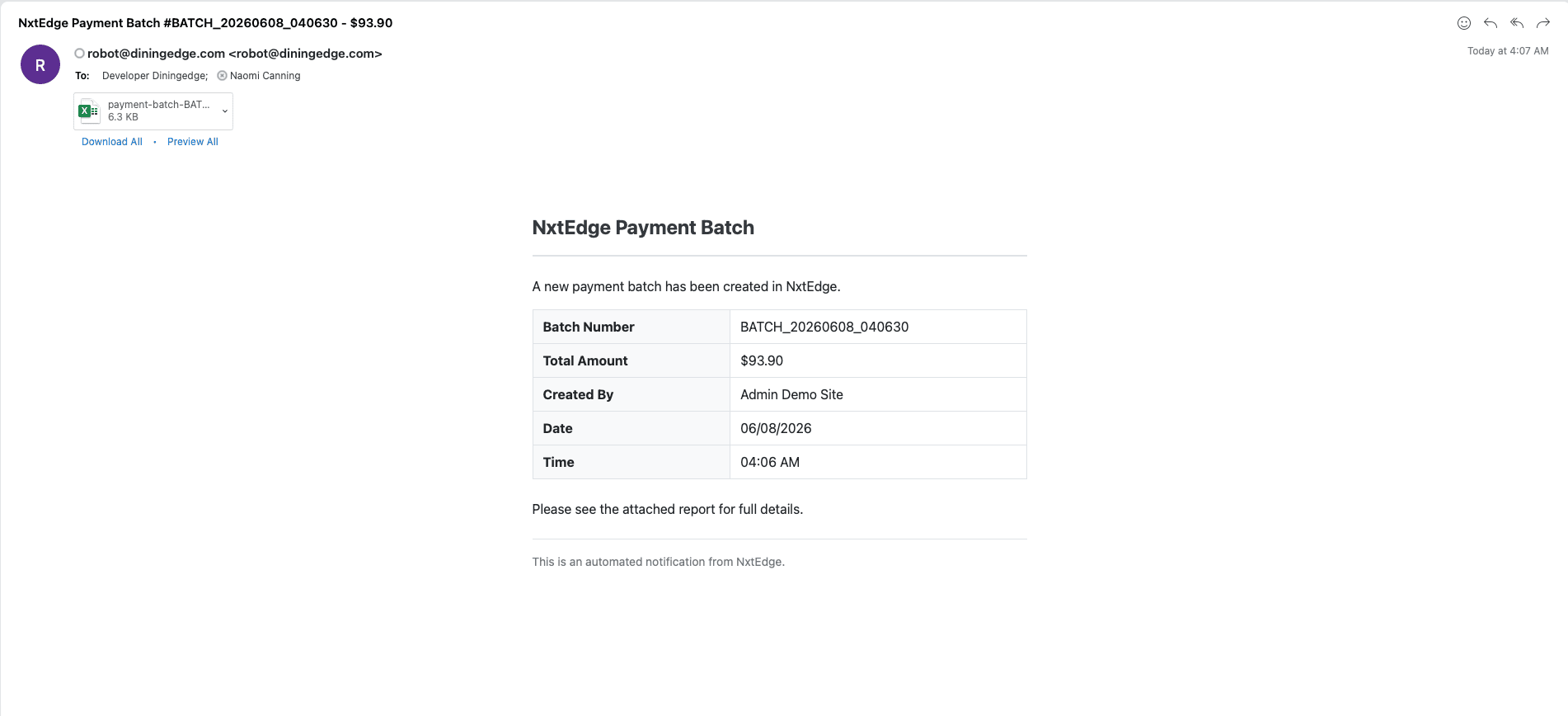
Payment status updates automatically flow back into NxtEdge so AP teams always know where every payment stands.
- Payment Status Updates
- Vendor Visibility
- Payment History
- Audit Trail
- Reconciliation Support
Features
Everything Needed to Manage Vendor Payments
Electronic Payments
Electronic Vendor Payments
Pay vendors electronically through ACH, virtual card, or other supported payment methods.
Check Payments
Vendor Check Payments
For vendors that prefer checks, RePay manages check creation, mailing, and payment processing.
Payment Visibility
Complete Payment Visibility
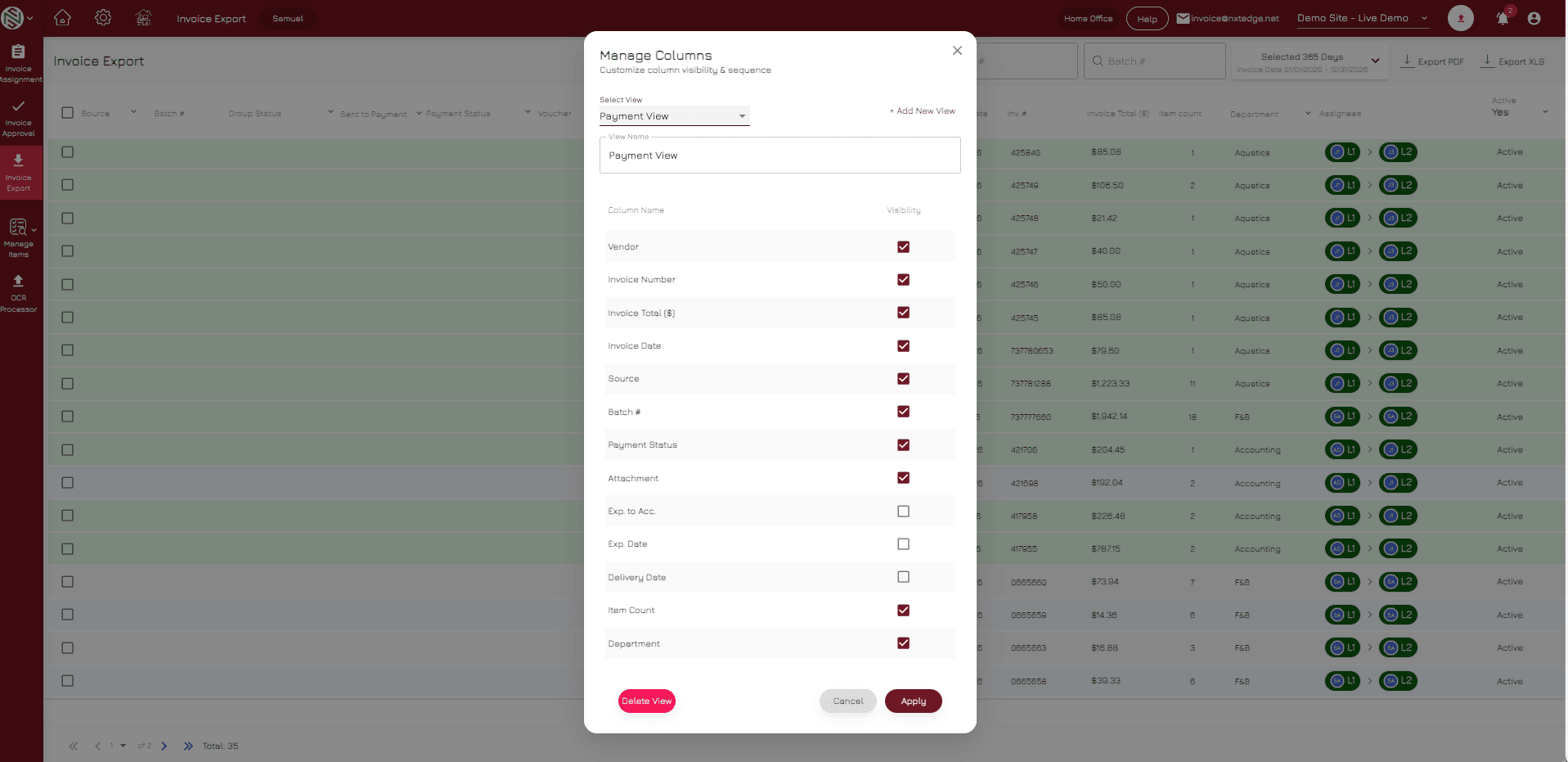
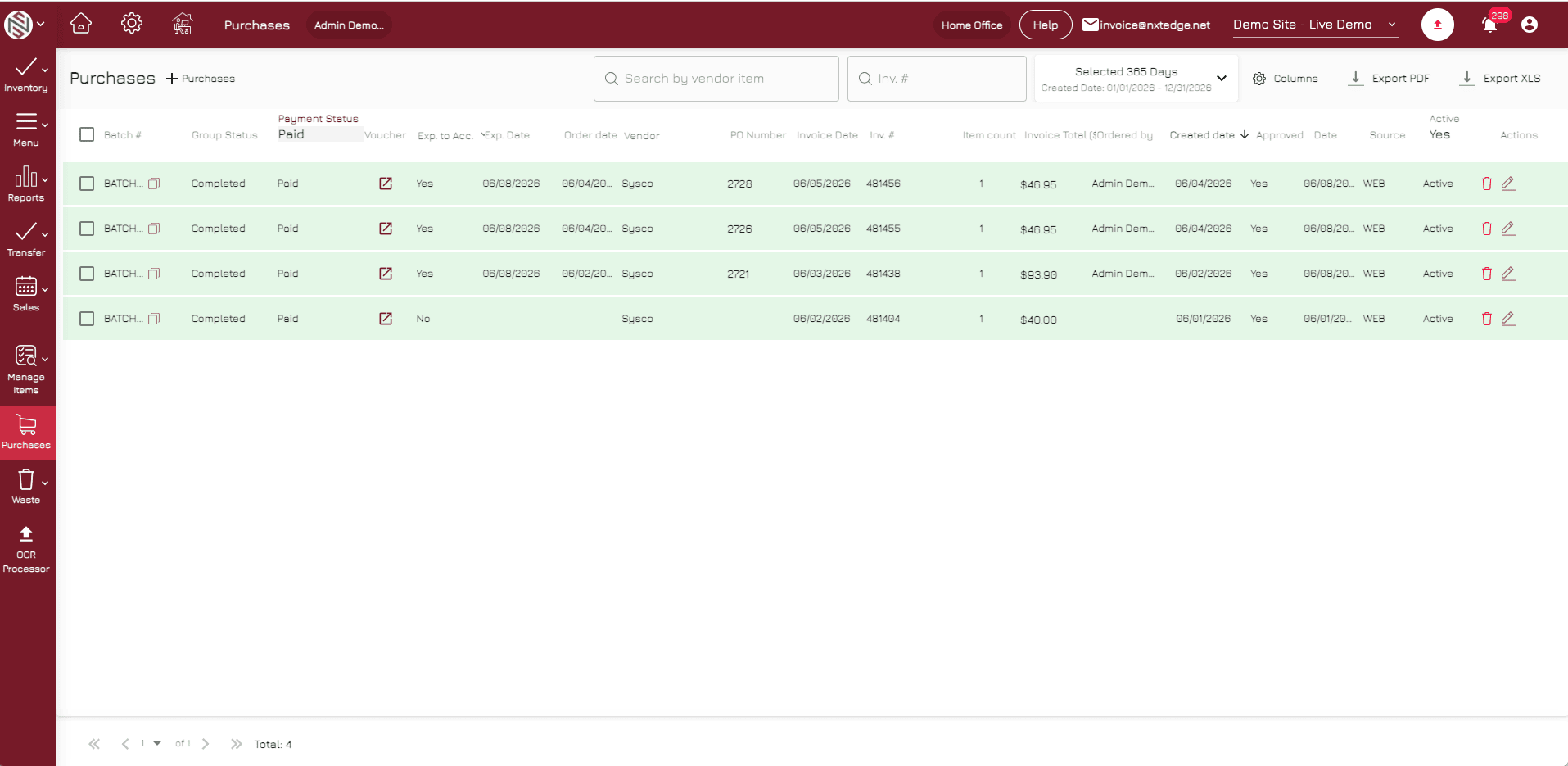
Track payment activity, vendor status, payment history, and audit trails from a single dashboard.

Approval Integration
Connected Approval Workflow
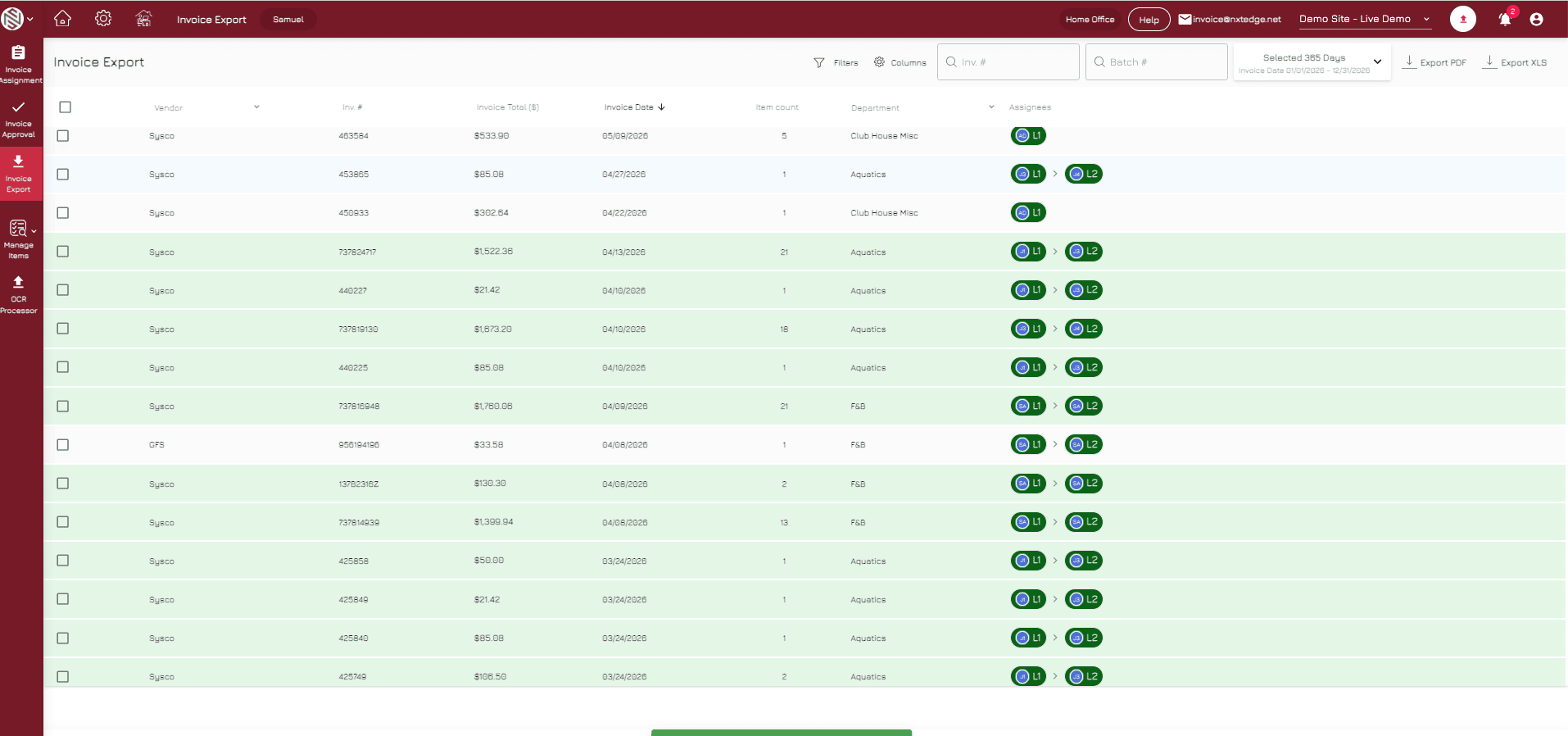
Approved invoices move directly from Invoice Approval into Bill Pay without duplicate entry or disconnected systems.
Accounting Integration
Accounting Workflow Integration
Track invoices from approval through payment and maintain visibility into invoices ready for accounting reconciliation.
Why It Matters
Stop Managing Payments Across Multiple Systems
Many hospitality operators approve invoices in one system, pay vendors in another, and track payment status somewhere else entirely.
NxtEdge connects approvals, payments, and visibility into one workflow.
Reduce Manual Work
Eliminate duplicate entry, spreadsheets, check logs, and disconnected payment processes.
Improve Payment Visibility
Track payment status, approval history, and vendor activity from one location.
Strengthen Financial Controls
Ensure invoices are approved before payment processing begins.
Benefits
Why Operators Use NxtEdge Bill Pay
Faster Vendor Payments
Process approved invoices quickly through electronic payment options.
Better AP Visibility
Know which invoices are approved, pending payment, processing, or completed.
Reduce Administrative Time
Spend less time managing checks, payment tracking, and vendor follow-up.
Improve Financial Control
Ensure approvals happen before payments are released.
One Connected Workflow
Connect Invoice Automation, Approval Workflows, Bill Pay, and Accounting Integration within one platform.
Connected Solutions
Bill Pay Is Part of a Larger AP Workflow
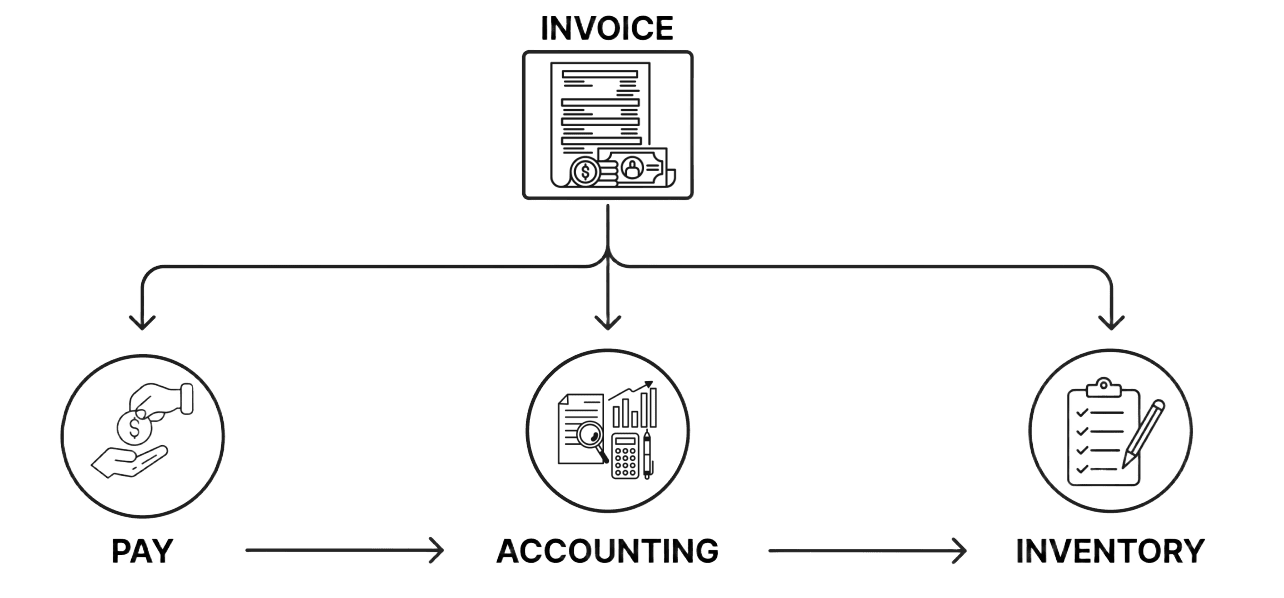
Bill Pay becomes even more valuable when connected to the rest of the NxtEdge platform. Approved invoices can move seamlessly from invoice automation through approvals, payment processing, and accounting export.
Why NxtEdge
Built for Hospitality Accounts Payable
Hospitality organizations require more than payment processing. They need approval controls, department visibility, payment tracking, vendor management, and accounting workflows working together.
NxtEdge connects the entire AP process from invoice receipt through payment completion.
Hospitality-Focused AP
Built for restaurants, country clubs, hotels, resorts, senior living communities, and multi-location operations.
Connected Approvals
Invoices move seamlessly from approval workflows into payment processing.
Multiple Payment Options
Support ACH, virtual card, and check payments based on vendor preference.
Complete Payment Visibility
Track payment status, payment history, and vendor activity from one dashboard.
One Connected Platform
Invoice Automation, Invoice Approval, Bill Pay, Accounting Integration, and Reporting work together in one system.
Ready to Simplify Vendor Payments?
Streamline approvals, payments and accounting with one connected hospitality bill pay platform.