

Invoice Automation
What If Every Invoice Updated Your Operation Automatically?
Capture Every Invoice. Eliminate Manual Entry.
Receive invoices through email, EDI integrations, fintech integrations, mobile scanning, or manual upload. NxtEdge captures every invoice, extracts the data that matters, and automatically routes it based on your business rules.
Whether you're updating inventory, automating AP workflows, preparing invoices for approval, processing bill payments, or exporting to accounting, NxtEdge eliminates manual entry and creates a single source of truth for invoice processing.
- OCR Invoice Processing
- EDI & Fintech Integrations
- Pack, Size & Catch Weight Capture
- Inventory, AP & Accounting Ready
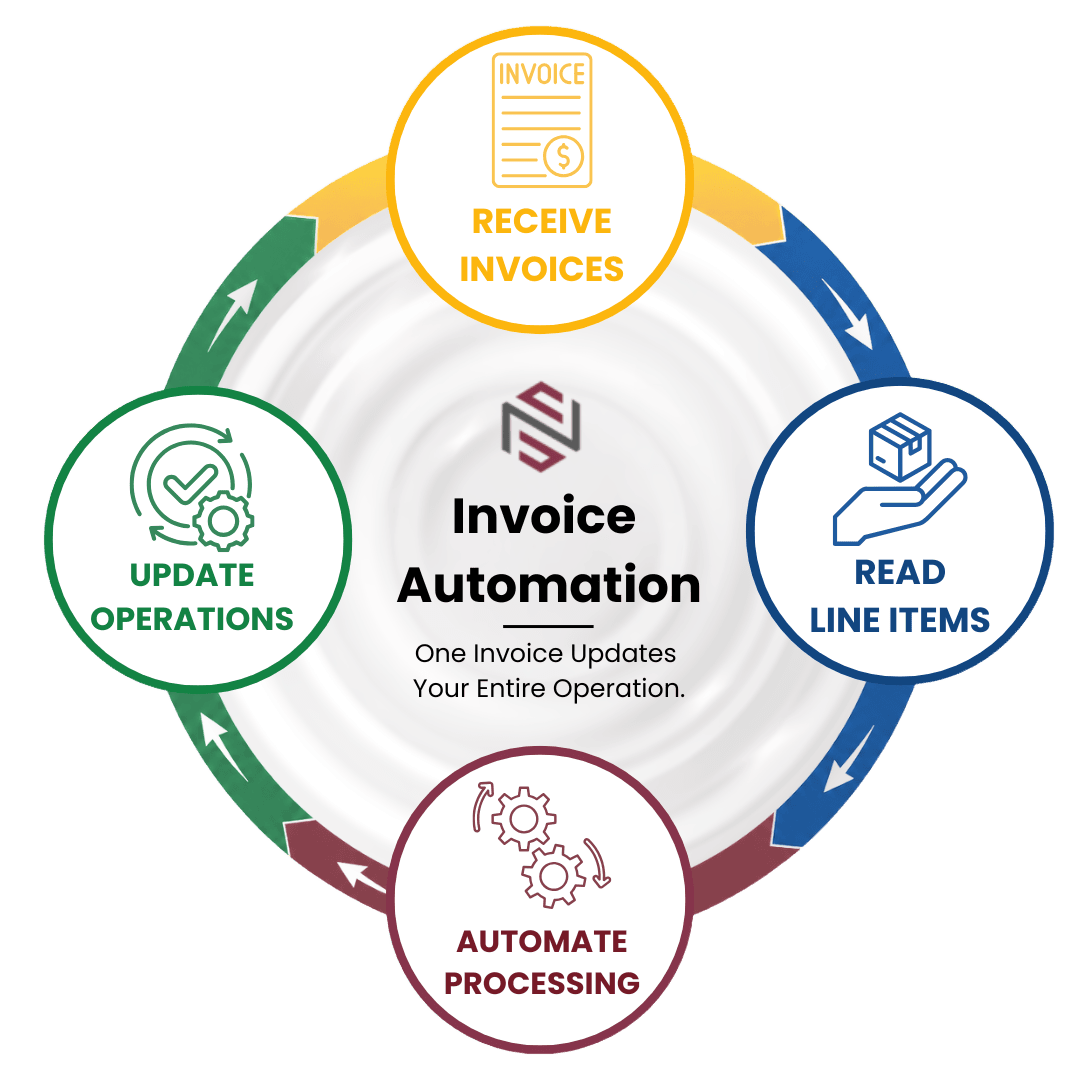

From Invoice Receipt to Automated Processing
Capture invoices, extract detailed line-item data, and automatically process invoices based on how each vendor is configured within your operation.
Receive
Receive Invoices
Receive invoices through email, EDI integrations, fintech integrations, mobile scanning, or manual upload. No matter how invoices arrive, NxtEdge automatically captures and prepares them for processing.
- Email Invoices
- EDI Integrations
- Fintech Integrations
- Mobile Scanning
- Manual Uploads
Read
Read Every Line Item
OCR technology combined with human validation captures invoice details including pack size, unit of measure, quantity, catch weight, case pricing, and invoice totals.
- OCR Technology
- Human Validation
- Pack & Size Capture
- Catch Weight Support
- Quantity Recognition
Process
Process Based on Vendor Type
Automatically route invoice data based on vendor configuration. Update inventory items, code expenses by category, or process invoice totals directly into your AP workflow.
- Inventory Vendors
- Category Vendors
- Invoice Total Vendors
- Automated Coding
- Flexible Processing Rules
Why It Matters
Most Invoice Data Never Gets Used
Invoices contain valuable purchasing, inventory, pricing, and operational data. When invoice processing stops at manual entry, organizations lose visibility into costs, pricing trends, and purchasing activity that could improve decision making.
Manual Entry Creates Bottlenecks
Teams spend valuable time entering invoice data that could be captured and processed automatically.
Valuable Data Gets Lost
Pack sizes, quantities, pricing changes, and purchasing trends often remain trapped inside PDF invoices.
Better Data Drives Better Decisions
When invoice data is structured and connected, it becomes the foundation for inventory, purchasing, AP, reporting, and accounting workflows.
Features
Software Built for Invoice Automation
Flexible Capture
Capture Invoices Your Way
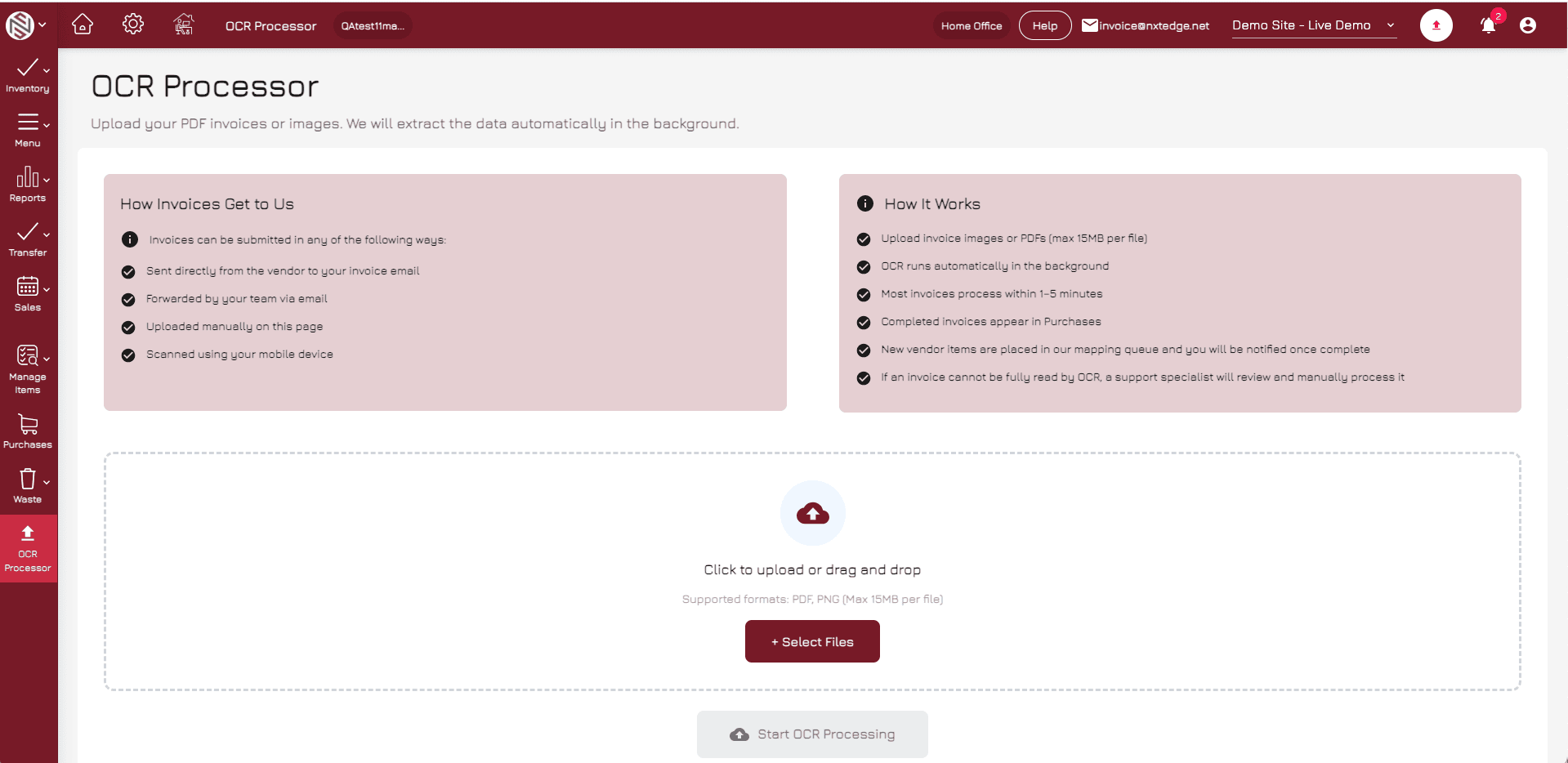
Receive invoices through email forwarding, EDI integrations, fintech integrations, mobile scanning, or manual upload. NxtEdge supports multiple invoice intake methods so vendors can continue sending invoices the way they do today.
- Email Invoices
- EDI Integrations
- Fintech Integrations
- Mobile Scanning
- Manual Uploads
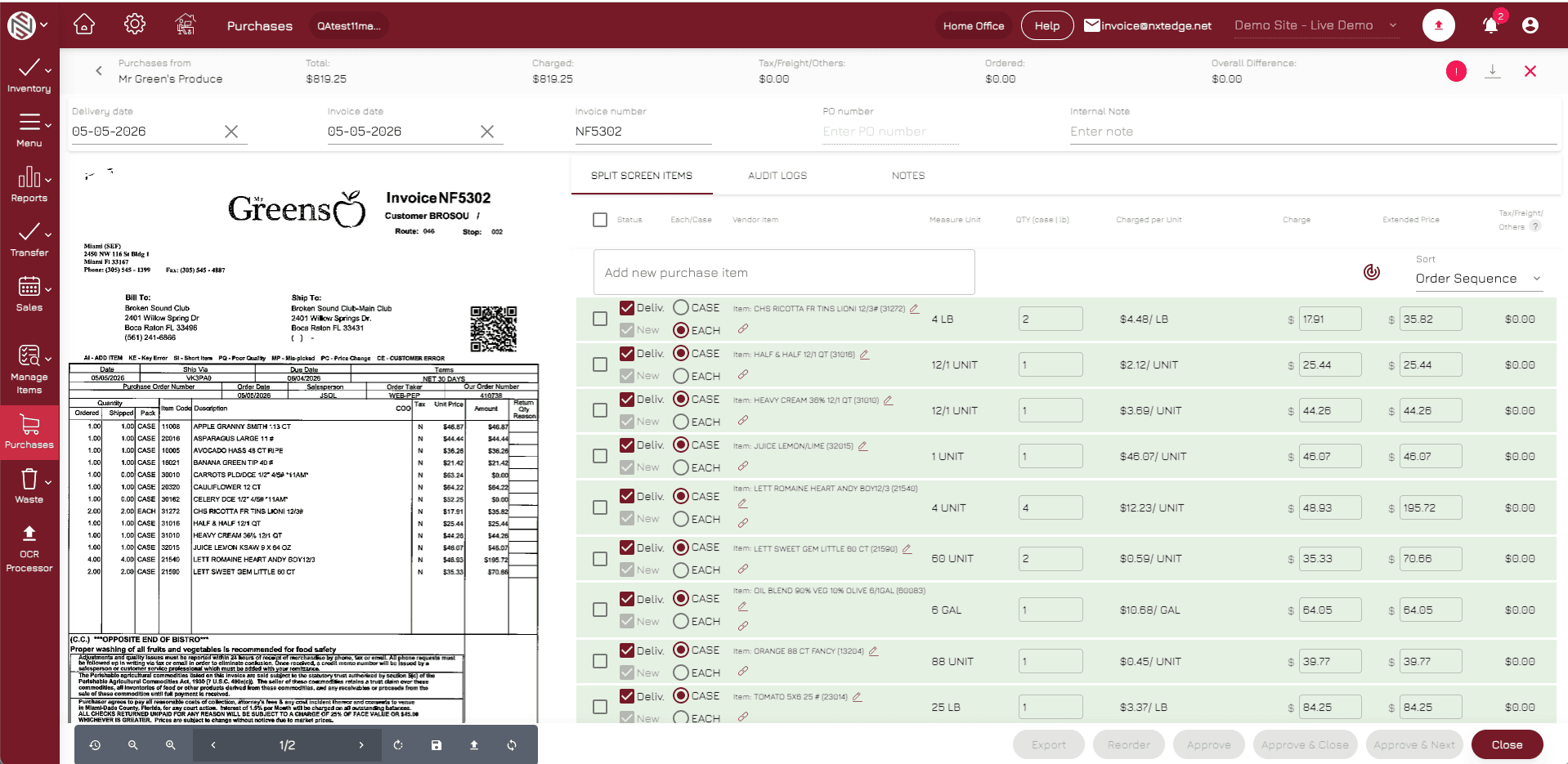
Detailed Line Items
Read Pack, Size & Catch Weight
Unlike basic OCR systems that only capture totals, NxtEdge reads detailed invoice information including pack size, unit of measure, quantity, catch weight, pricing, and extended totals.
- Pack Size Recognition
- Unit of Measure Capture
- Quantity Tracking
- Catch Weight Support
- Line Item Detail
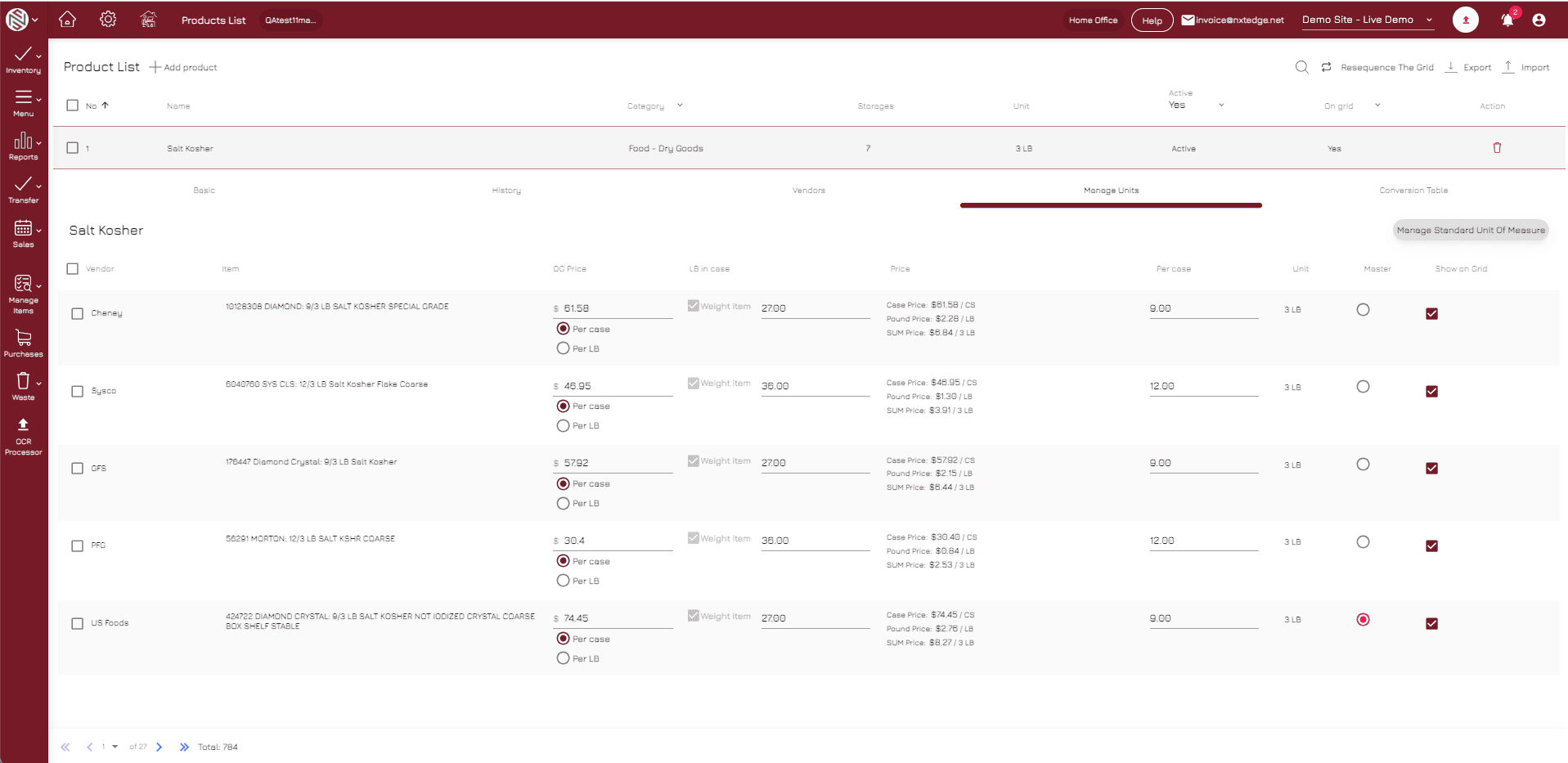
Inventory Vendors
Inventory Vendor Processing
For inventory vendors, every line item is read and matched to inventory products. Pricing is updated automatically while supporting parent-item environments that allow multiple vendor products to update a single inventory item.
- Inventory Updates
- Parent Item Support
- Vendor Product Mapping
- Pricing Updates
- Recipe Cost Updates
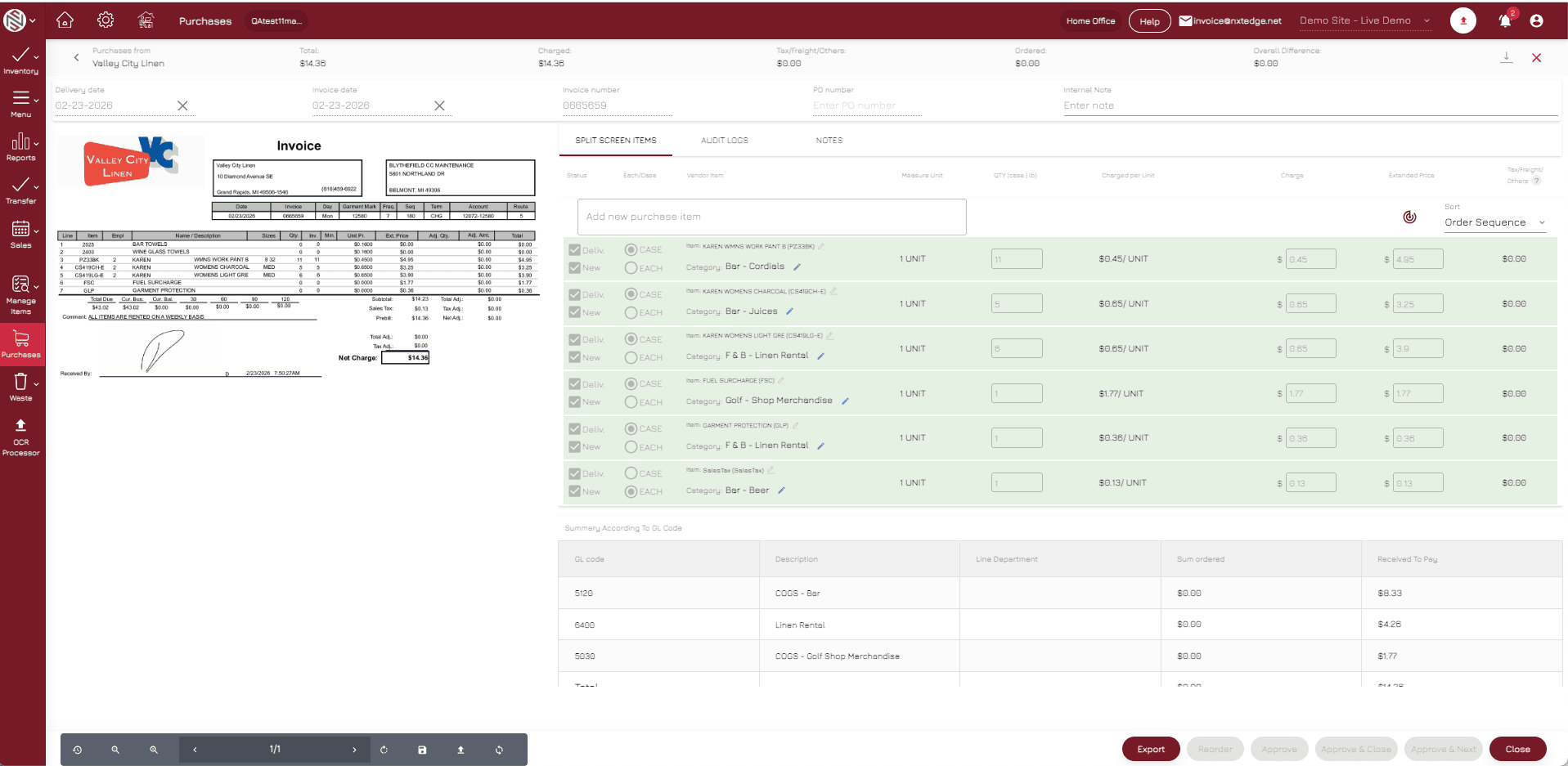
Category Vendors
Category-Based Coding
For non-inventory vendors, invoice line items can automatically code to predefined GL categories while maintaining full visibility into purchase activity and spending trends.
- Category Coding
- Expense Tracking
- GL Mapping
- Purchase Visibility
- Automated Processing
Invoice Total Vendors
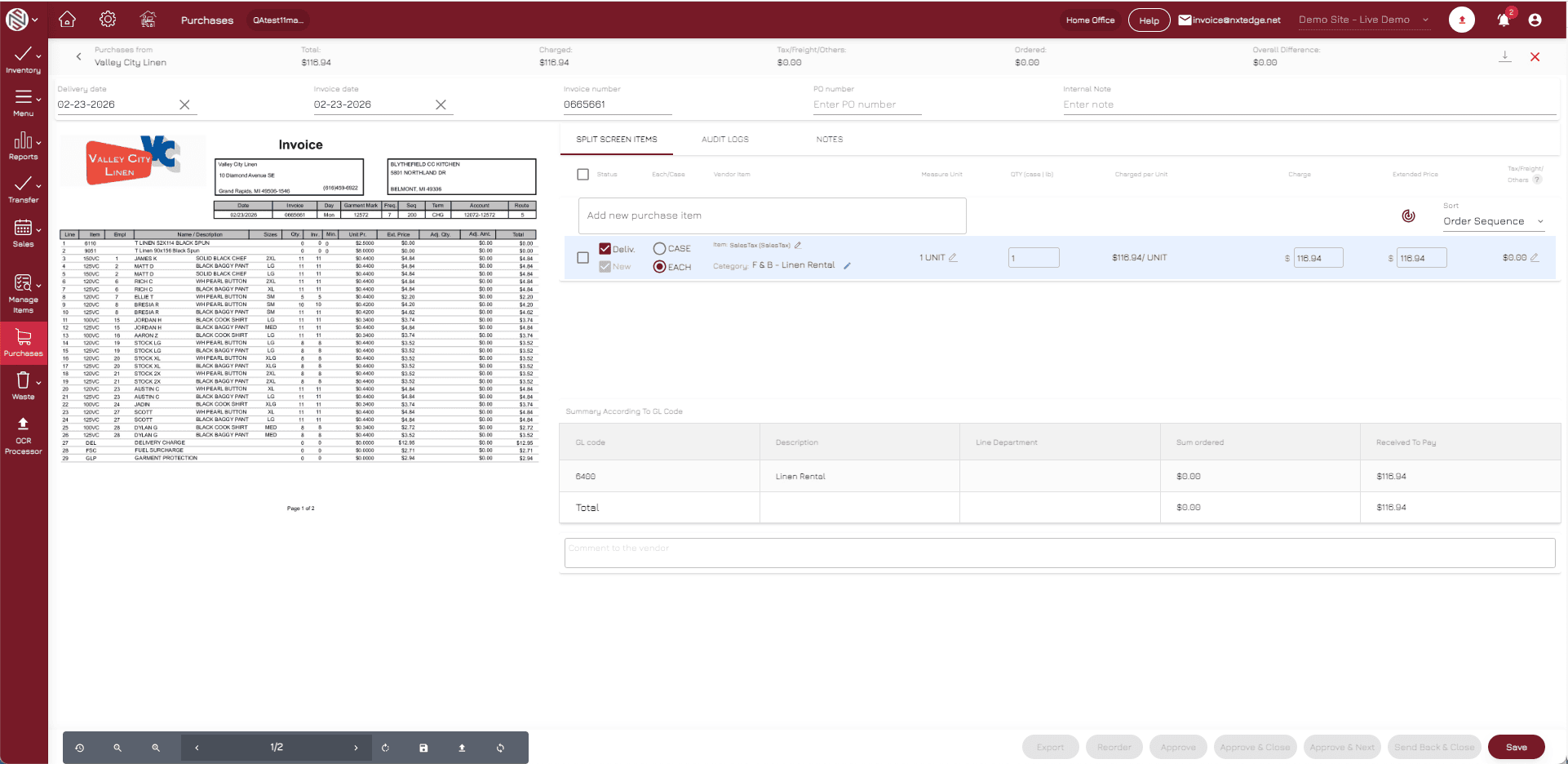
Invoice Total Processing
Some vendors only require invoice totals. NxtEdge can capture invoice totals and automatically route expenses to designated GL accounts without processing individual line items.
- Invoice Totals
- GL Account Assignment
- Expense Allocation
- AP Processing
- Accounting Ready
Why NxtEdge
Why Operators Choose NxtEdge
NxtEdge was built specifically for hospitality operations that need more than basic OCR. Our platform captures detailed invoice data and transforms it into actionable operational intelligence.
Reads More Than Totals
Capture pack sizes, quantities, unit measures, catch weights, and pricing.
Multiple Intake Methods
Email, EDI, fintech, mobile scanning, and manual upload.
Hospitality-Focused Design
Built specifically for restaurants, country clubs, hotels, resorts, senior living, and multi-unit operators.
Flexible Vendor Processing
Support inventory vendors, category vendors, and invoice-total vendors in one platform.
Connected Platform
One invoice can update inventory, AP, bill pay, reporting, and accounting workflows.
Ready to Eliminate Manual Invoice Processing?
See how NxtEdge captures invoice data, automates workflows, and connects purchasing, inventory, AP, bill pay, and accounting in one platform.