


Invoice Approval
How Invoice Approval Works in NxtEdge
NxtEdge routes invoices through customizable approval workflows before they are paid or exported to accounting. Create approval chains by department, user, role or location, ensuring every invoice is reviewed by the right people while maintaining complete visibility and accountability.
Whether your operation requires a single approval or a four-level approval chain across multiple departments, NxtEdge eliminates paper routing, email chains and approval bottlenecks.
- 1–4 Approval Levels
- Department-Based Routing
- Approval Chains
- Notes & Audit Trail
Route Invoices Automatically
Once invoices enter NxtEdge, approval rules automatically determine where they should go. Each vendor can be assigned to a department so invoices are routed to the correct approval chain without manual intervention.
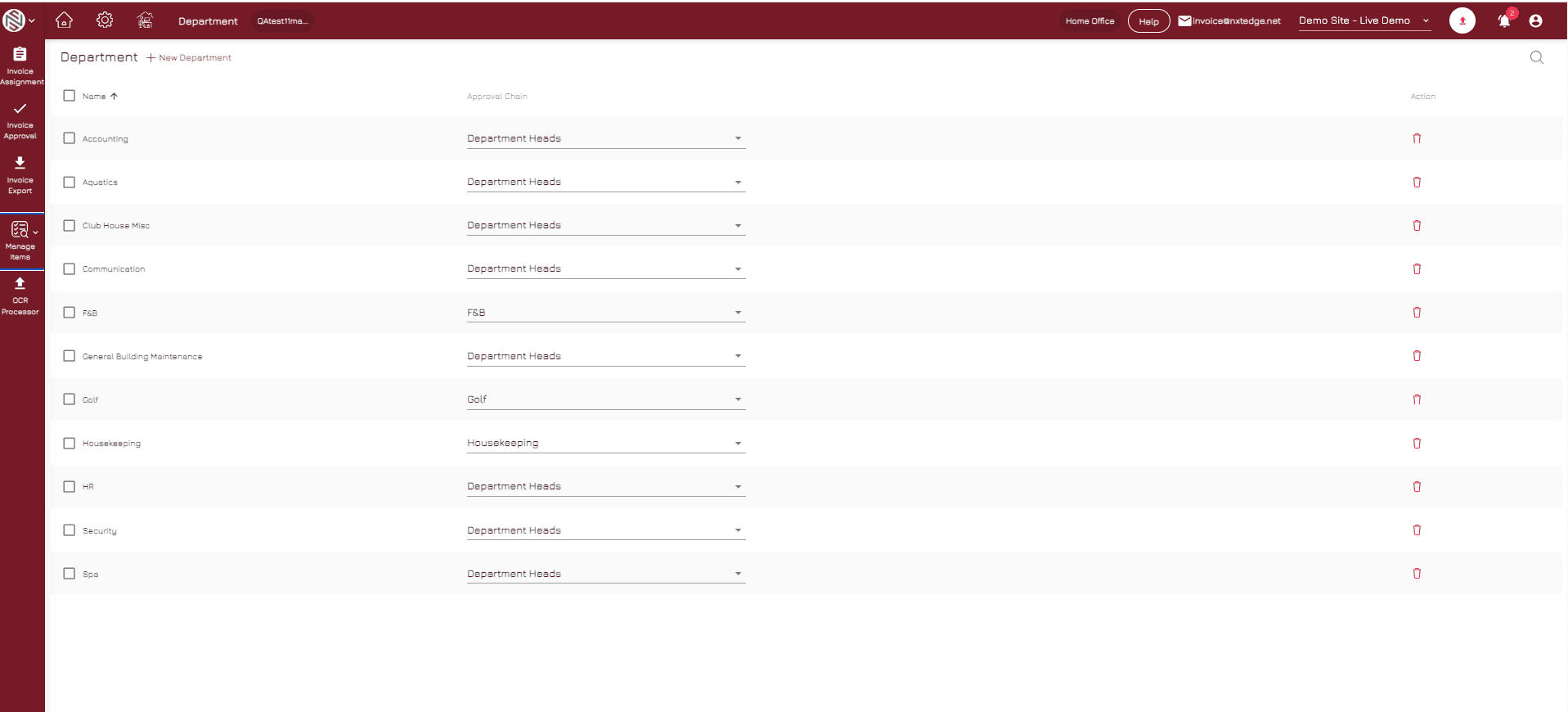
- Vendor-to-Department Routing
Automatically direct invoices to the correct department based on vendor, GL code or business rules.
- Automatic Assignment
Reduce manual routing by assigning invoices to approvers automatically.
- Department Workflows
Create unique approval paths for different departments and operating areas.
- User Notifications
Notify approvers when invoices require review or action.
- Approval Queue Visibility
Provide real-time visibility into pending approvals across the organization.
Approve, Reject or Send Back
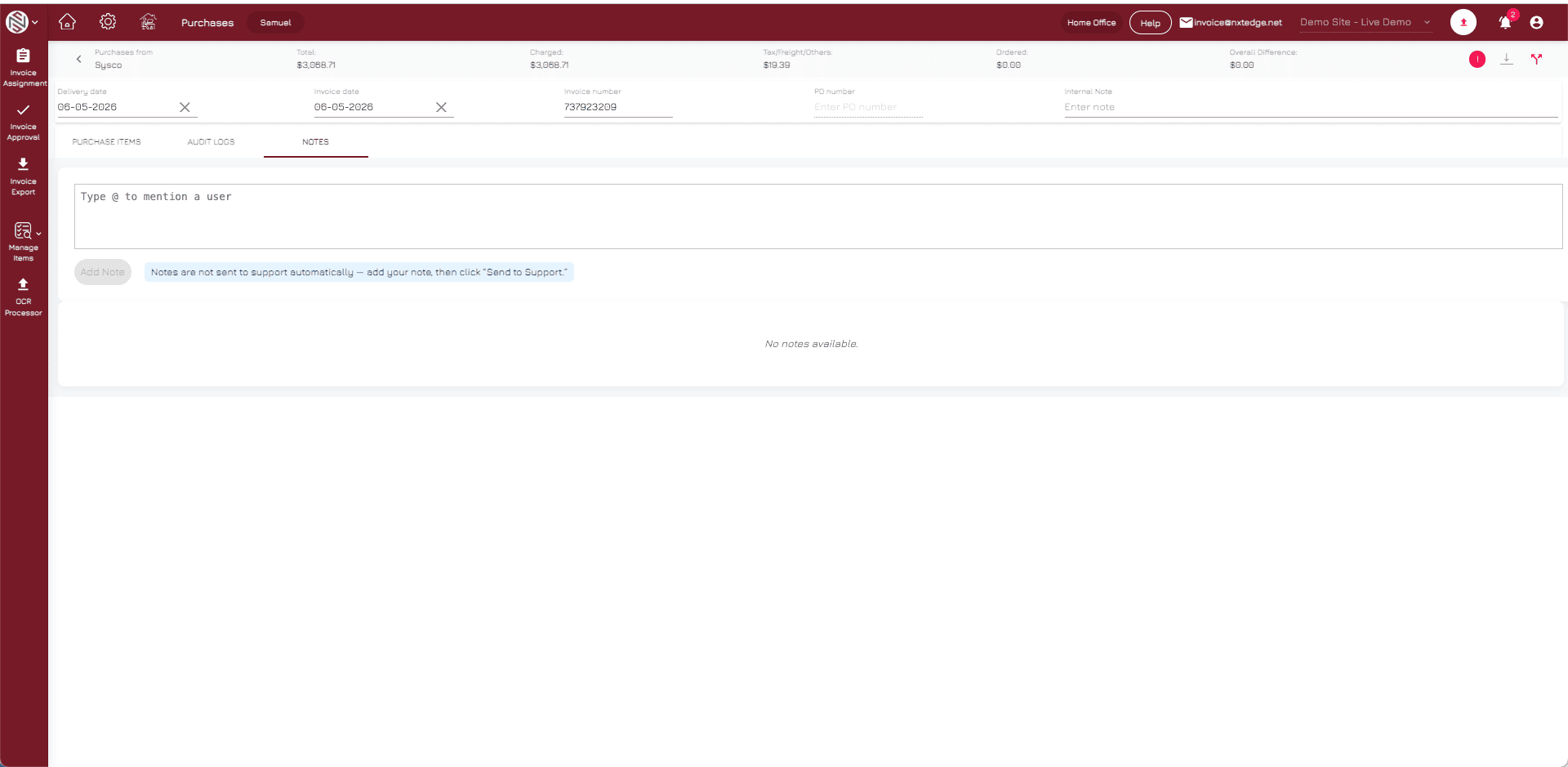
Approvers can review invoices, approve them, reject them or send them back with notes for clarification. Every action is tracked automatically and notifications are sent to the appropriate users.
- Approve Invoices
Review and approve invoices directly within NxtEdge before payment processing.
- Send Back with Notes
Return invoices for correction or clarification with comments and instructions.
- Email Notifications
Keep approvers informed through automated email alerts and reminders.
- Approval Comments
Document approval decisions with notes and supporting information.
- Complete Audit Trail
Maintain a permanent record of all approval actions and communications.
Track Every Invoice
Management has complete visibility into where invoices are within the approval process. Identify bottlenecks, review pending approvals and ensure invoices keep moving before payment or accounting export deadlines.
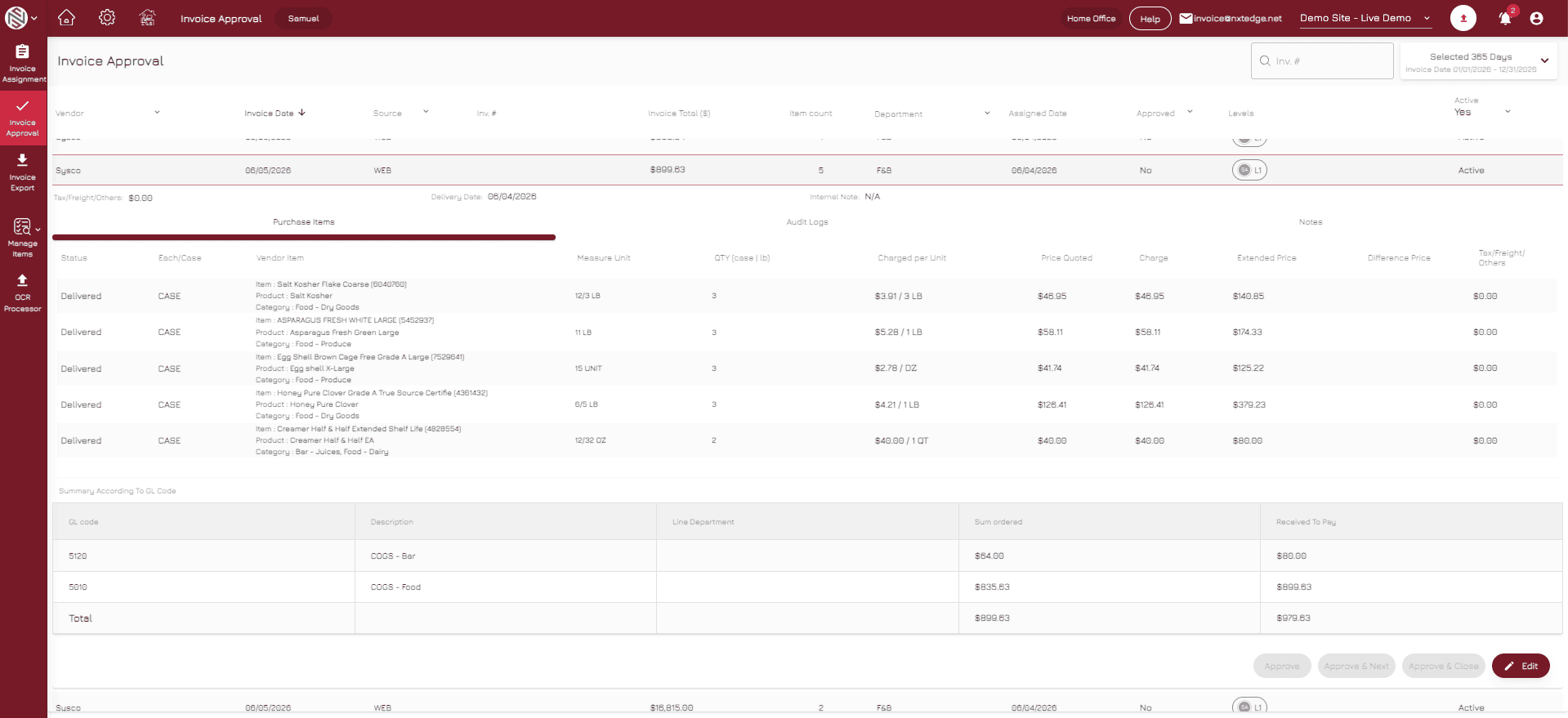
- Pending Approval Reports
View invoices awaiting approval across departments and locations.
- User-Level Reporting
Track approval activity and performance by individual users.
- Department Visibility
Monitor approval status and workload by department.
- Approval Status Tracking
Follow invoices through every stage of the approval process.
- Management Dashboards
Provide leadership with visibility into AP workflow performance and bottlenecks.
Approval Is the Control Point Before Payment
Invoice Approval ensures invoices are reviewed before money leaves the business. Combined with Invoice Automation, Bill Pay and Accounting Integration, NxtEdge creates a complete hospitality accounts payable workflow from invoice receipt through final payment.
- Invoice Automation
- Bill Pay
- Accounting Integration
- Department Controls
- Vendor Management
- AP Reporting
- Digital Invoice Archive
- Multi-Location Operations
Ready to Eliminate Paper Approval Processes?
Automate invoice routing, approval chains and accountability across your entire operation.