


How Purchasing Management Works in NxtEdge
NxtEdge helps operators control purchasing across their entire organization. Manage approved products, maintain purchasing standards, enforce spending controls and streamline ordering from one connected platform.
Whether you're managing a single location, country club, hotel, senior living community or multi-unit operation, NxtEdge helps reduce purchasing errors, improve compliance and create consistency across every order.
- Approved Product Management
- Par Levels & Inventory Visibility
- Purchase Order Management
- Vendor Order Guide Control
- Spending Limits & Purchasing Controls
- Mobile & Multi-Location Ordering
How Products Are Controlled
NxtEdge helps operators control what products are available for ordering using approved vendor items, contracted products and purchasing rules built around their operation. Managers order from approved purchasing programs instead of unrestricted distributor catalogs — helping create consistency, reduce ordering mistakes and maintain purchasing standards across every location.
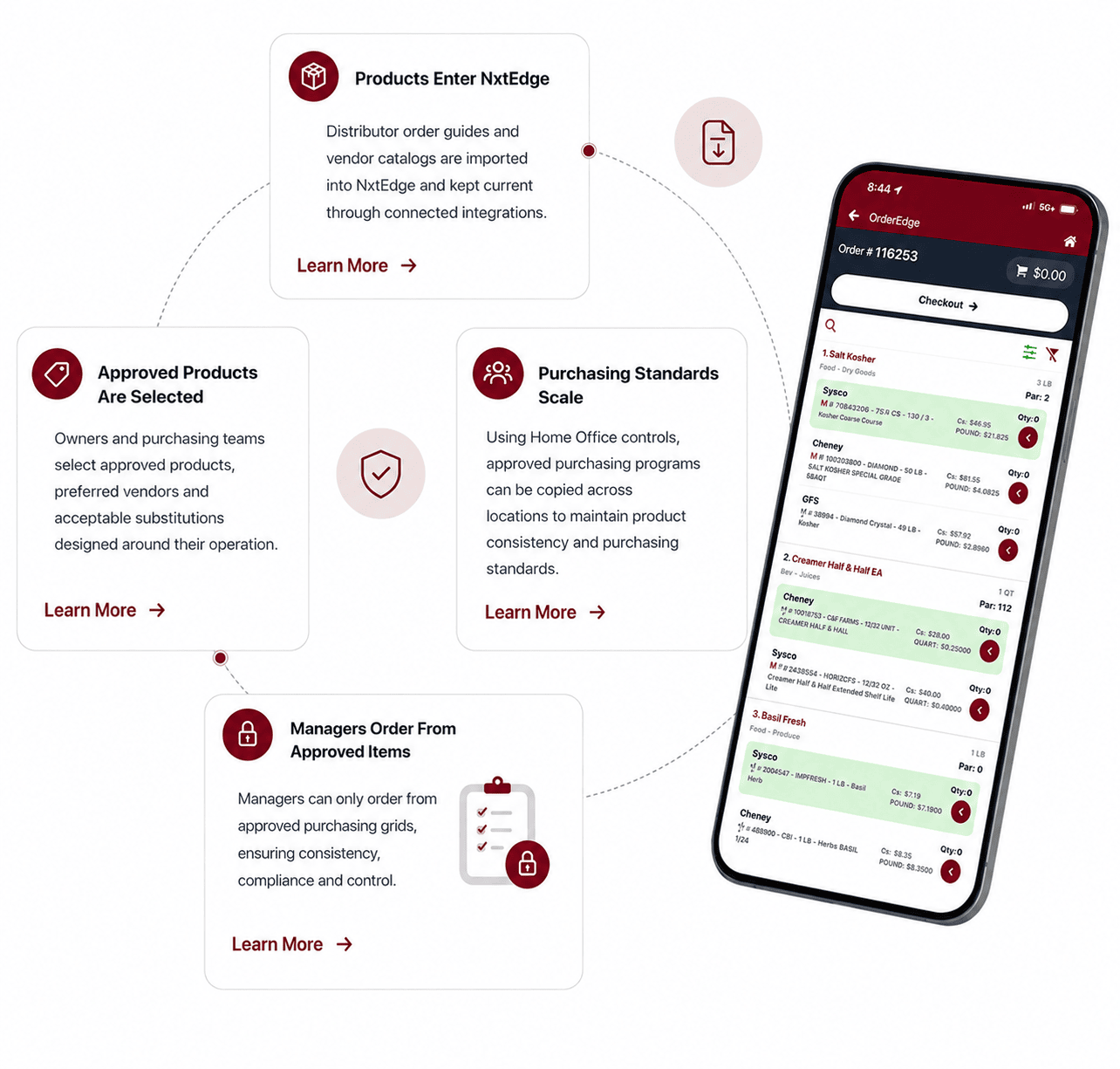
Order Guides Enter NxtEdge
Vendor order guides and distributor catalogs are imported into NxtEdge and kept current through connected purchasing programs and vendor integrations.
Approved Products Are Selected
Owners and purchasing teams select approved products, preferred vendors and acceptable substitutions designed around their operation.
Purchasing Standards Scale
Using Home Office controls, approved purchasing programs can be copied across locations to maintain product consistency and purchasing standards.
How Buying Decisions Are Made
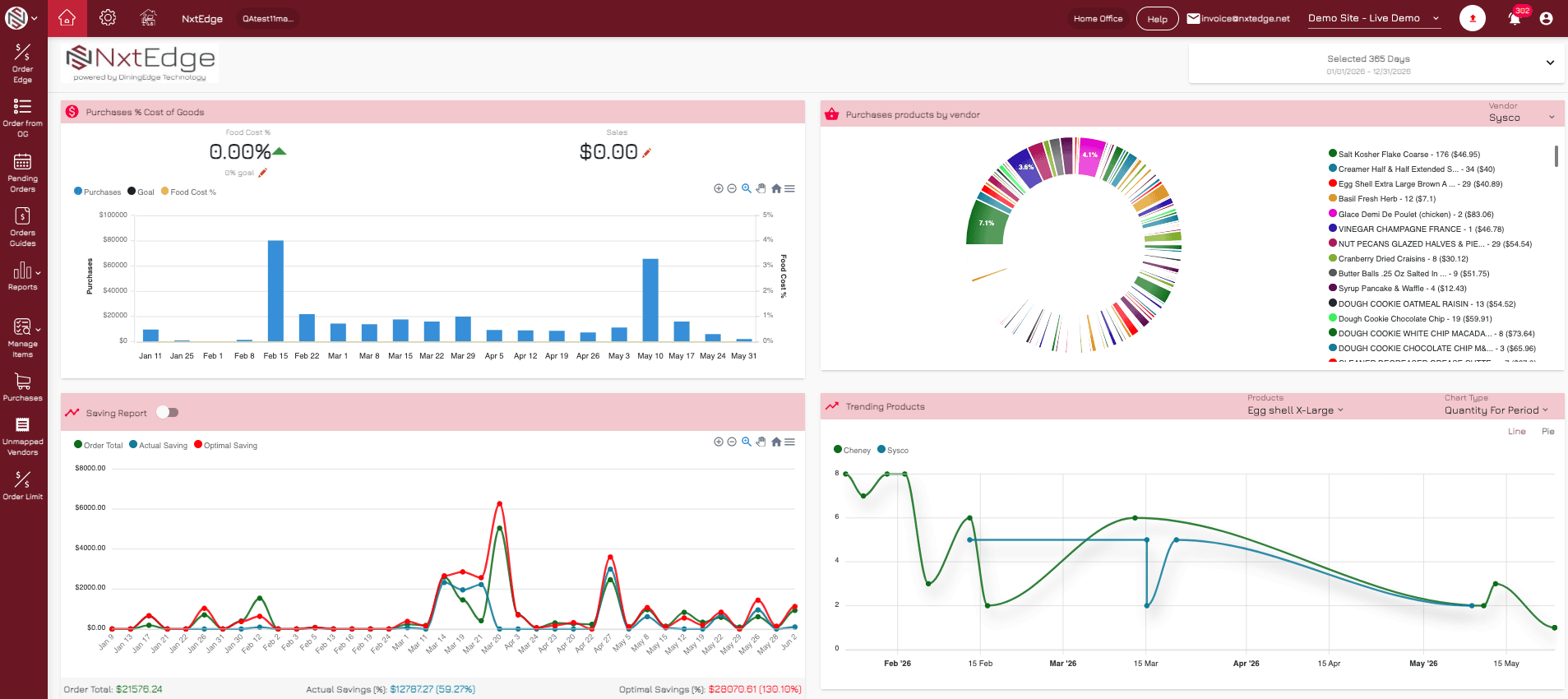
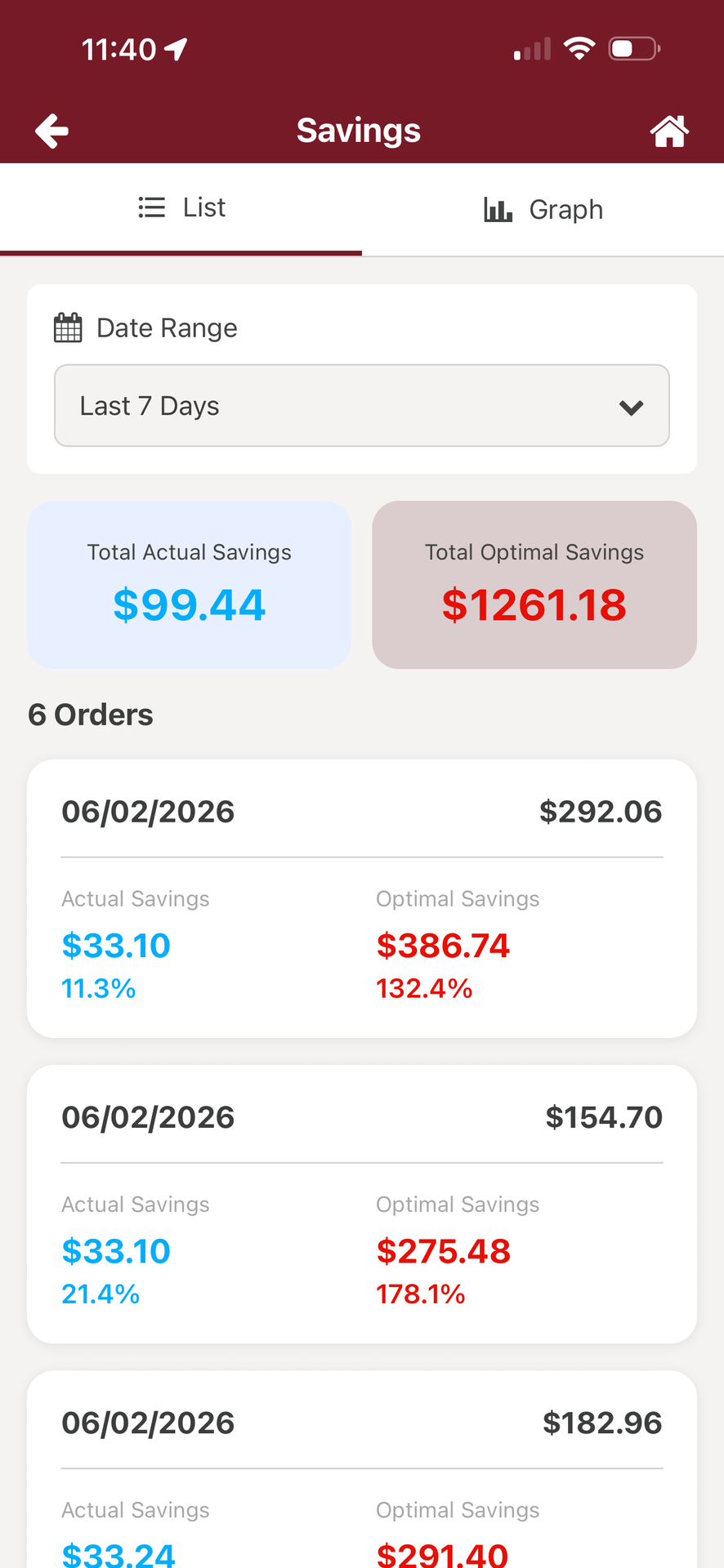
Purchasing is more than placing an order. NxtEdge helps operators make smarter buying decisions using par levels, order limits, pricing visibility and purchasing controls built directly into the ordering process. More visibility and stronger purchasing standards help teams order consistently, control spending and make better decisions before the order is submitted.
Par Levels Guide Ordering
Teams see par levels directly inside the ordering process to help maintain proper inventory levels and reduce guesswork.
Price Visibility at Every Order
See current pricing and historical pricing trends during ordering to make informed purchasing decisions.
Order Limits Control Spend
Built-in order limits help manage purchasing spend and maintain operational purchasing standards.
How Orders Are Submitted
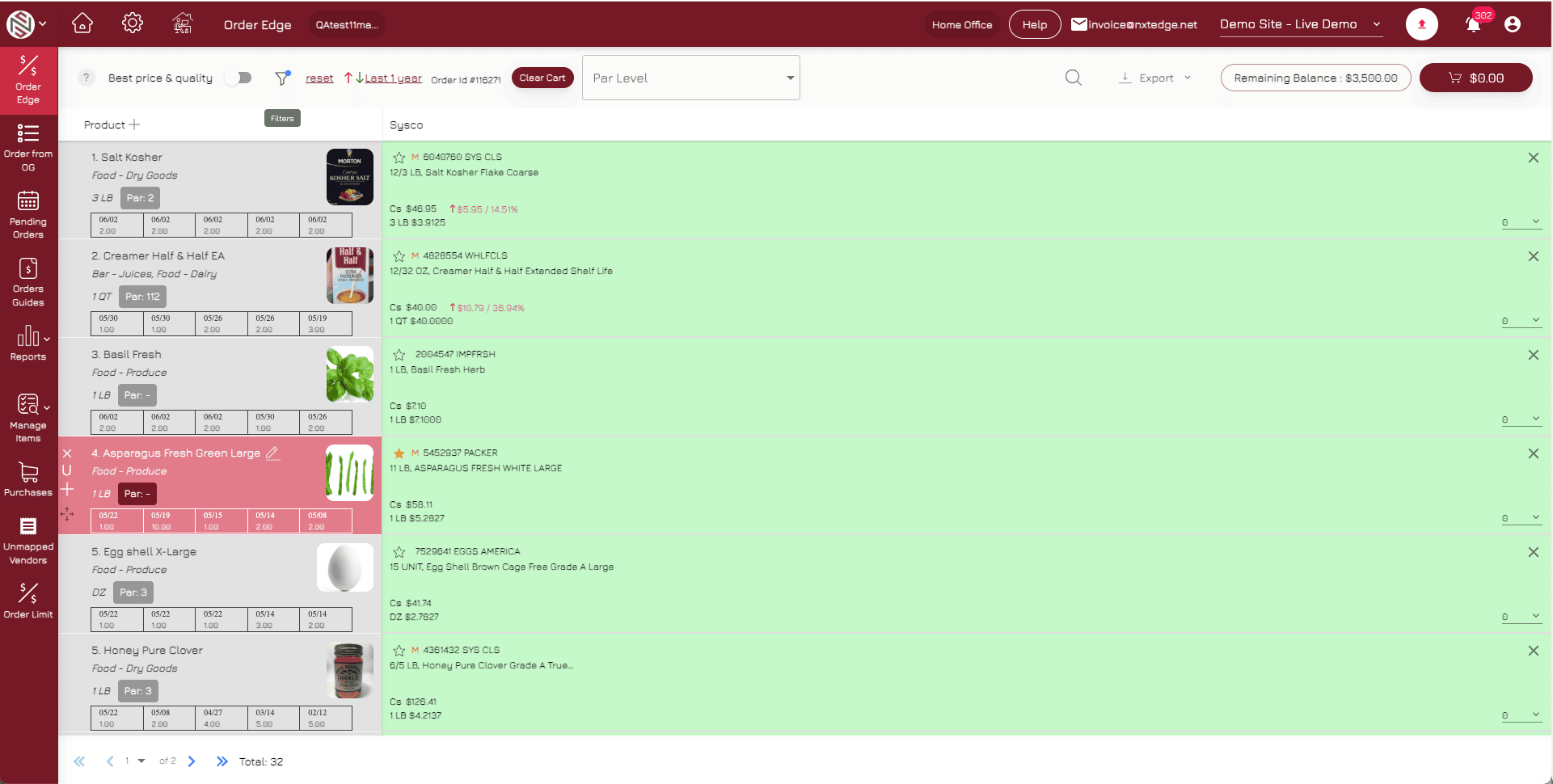
With a few clicks on your PC or tablet, create purchase orders and submit them directly to multiple purveyors at once. NxtEdge uses color-coded visibility to simplify purchasing decisions — green highlights best price, yellow identifies preferred products and pink marks discontinued vendor items.
Choose the best price and quality.
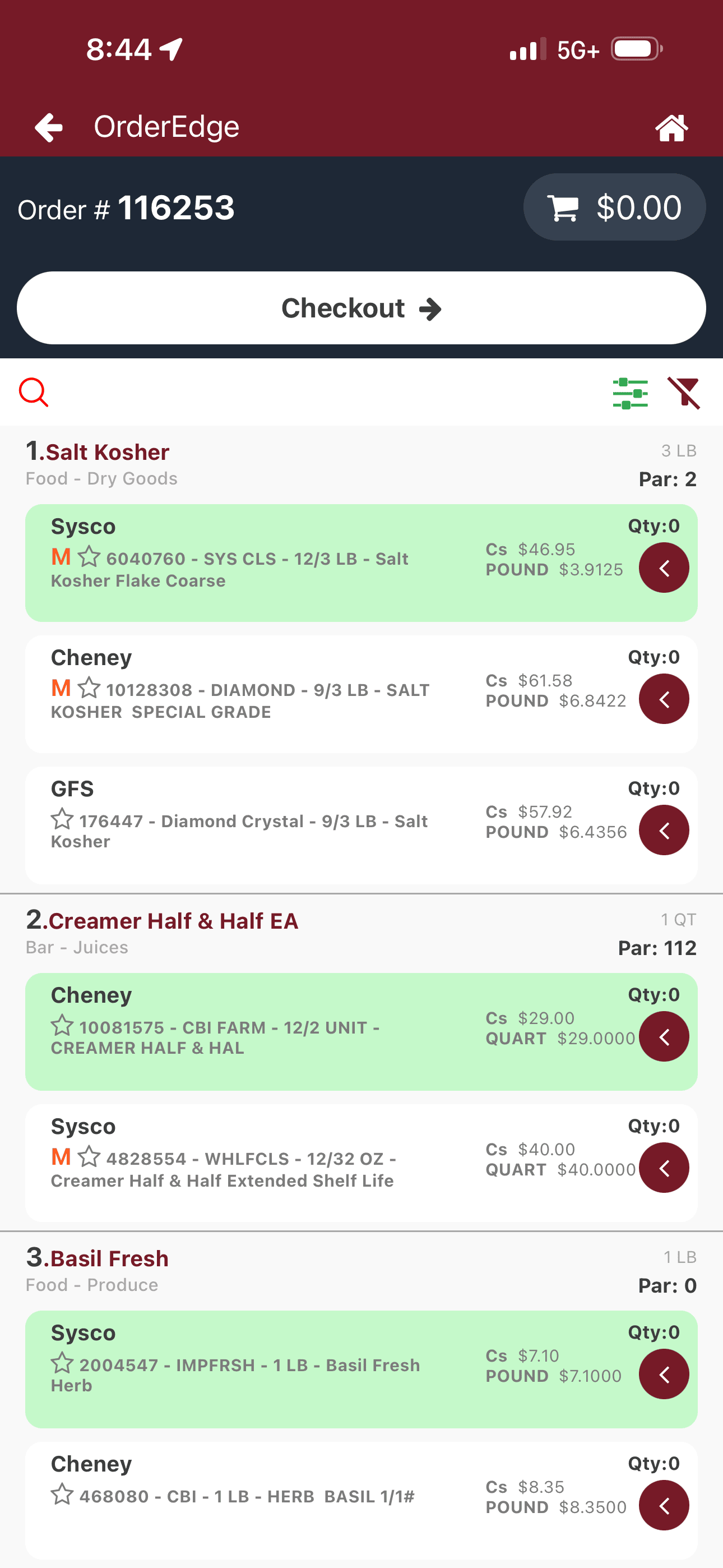
Build & Review Orders
Add products directly from vendor comparison into your cart, review pricing, verify vendor minimums and adjust delivery dates before submitting your order.
Flexible Order Delivery
Send single vendor orders or submit multiple vendor orders at once. Orders can be delivered through EDI integrations or emailed directly to vendor order lines or sales representative.
Order Anywhere
Create and manage orders from the back office, mobile device or printed clipboard workflow. Order guides can be printed for walk-through ordering or entered directly on Apple and Android devices.
Purchasing Management Is Just the Beginning
- Invoice Automation
- Accounting Integration
- Multi-Level Invoice Approval
- Bill Pay
- Food & Beverage Inventory
- POS Integration
- Recipe Depletion & Costing
- Transfers & Requisitions
- Commissary Ordering
- Waste Management
- Reporting & Visibility
- Theoretical Food Cost
Ready to Automate Your Ordering Process?
See how operators upload, compare and order in one connected workflow — and save 8–12% on every purchase.
Schedule a Demo