


Transfers & Requisitions
How Transfers & Requisitions Work in NxtEdge
NxtEdge helps organizations move inventory between departments, locations, warehouses, kitchens and commissaries while maintaining complete visibility and accountability. Create requisitions, approve requests, fulfill transfers and automatically update inventory balances throughout the organization.
Whether you're managing a country club, hotel, resort, commissary or multi-location operation, NxtEdge provides a structured process for inventory movement.
- Inventory Transfers
- Department Requisitions
- Multi-Location Visibility
- Automatic Inventory Updates
Create a Requisition
Users create requests for inventory from another department, warehouse, commissary or location. Requisitions can include products, quantities and notes needed to fulfill the request.
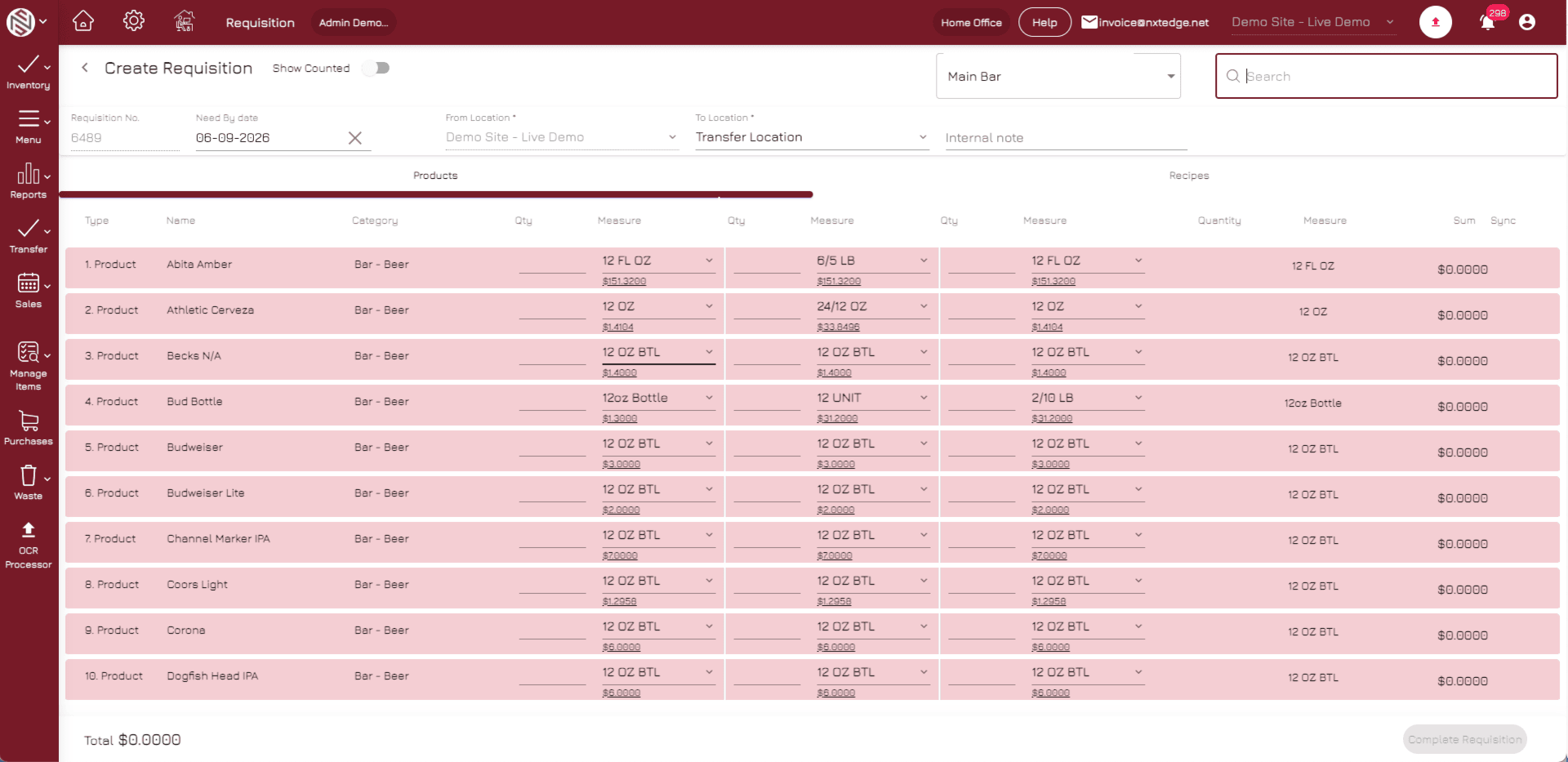
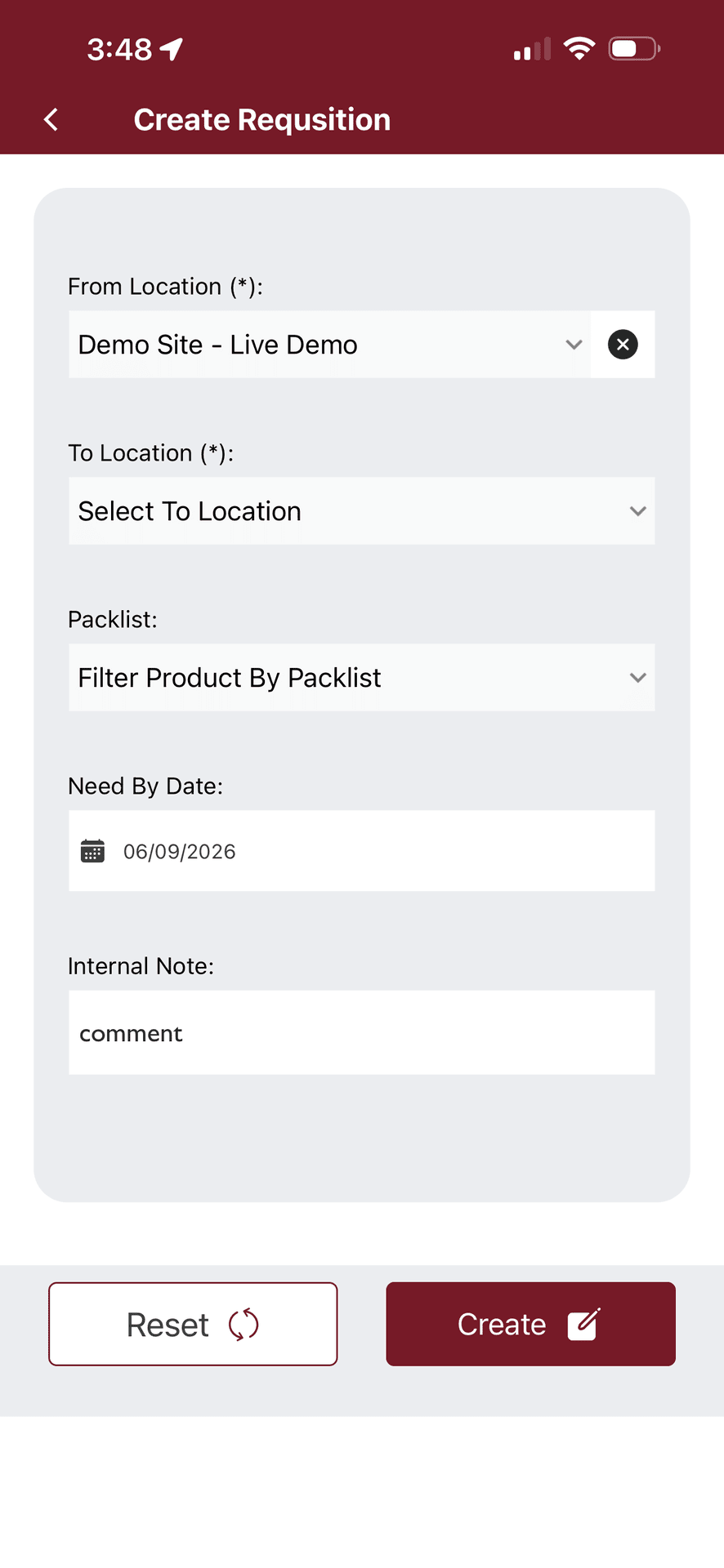
- Inventory Requests
- Product Selection
- Quantity Requests
- Request Notes
- Mobile Friendly
Review & Approve
Managers review requests and approve inventory movement based on operational needs and inventory availability. Organizations can use simple approvals or multi-level workflows depending on requirements.
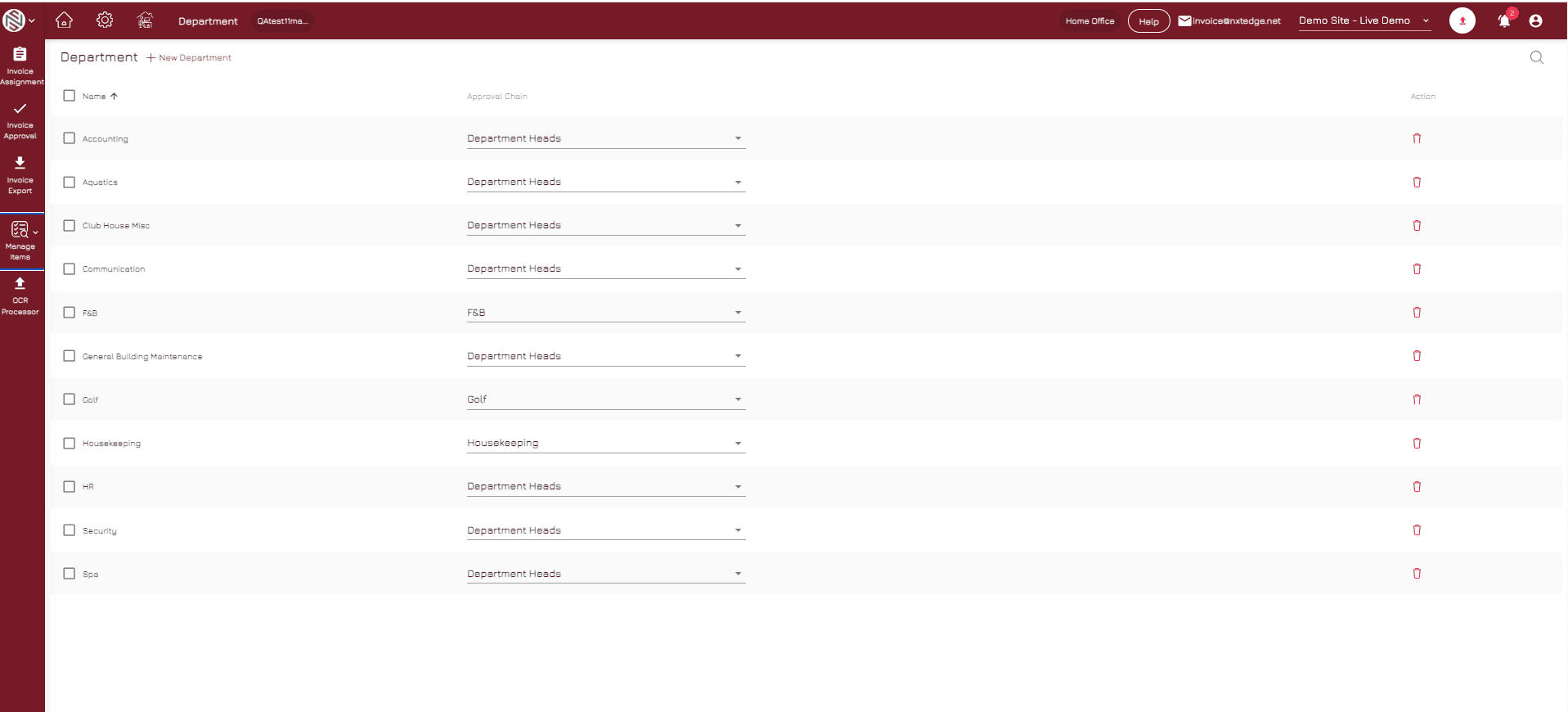
- Approval Workflows
- Manager Review
- Inventory Validation
- Department Controls
- Approval Tracking
Transfer Inventory
Inventory is transferred from the sending location to the receiving location. Quantities are automatically adjusted within both locations to maintain accurate inventory balances.
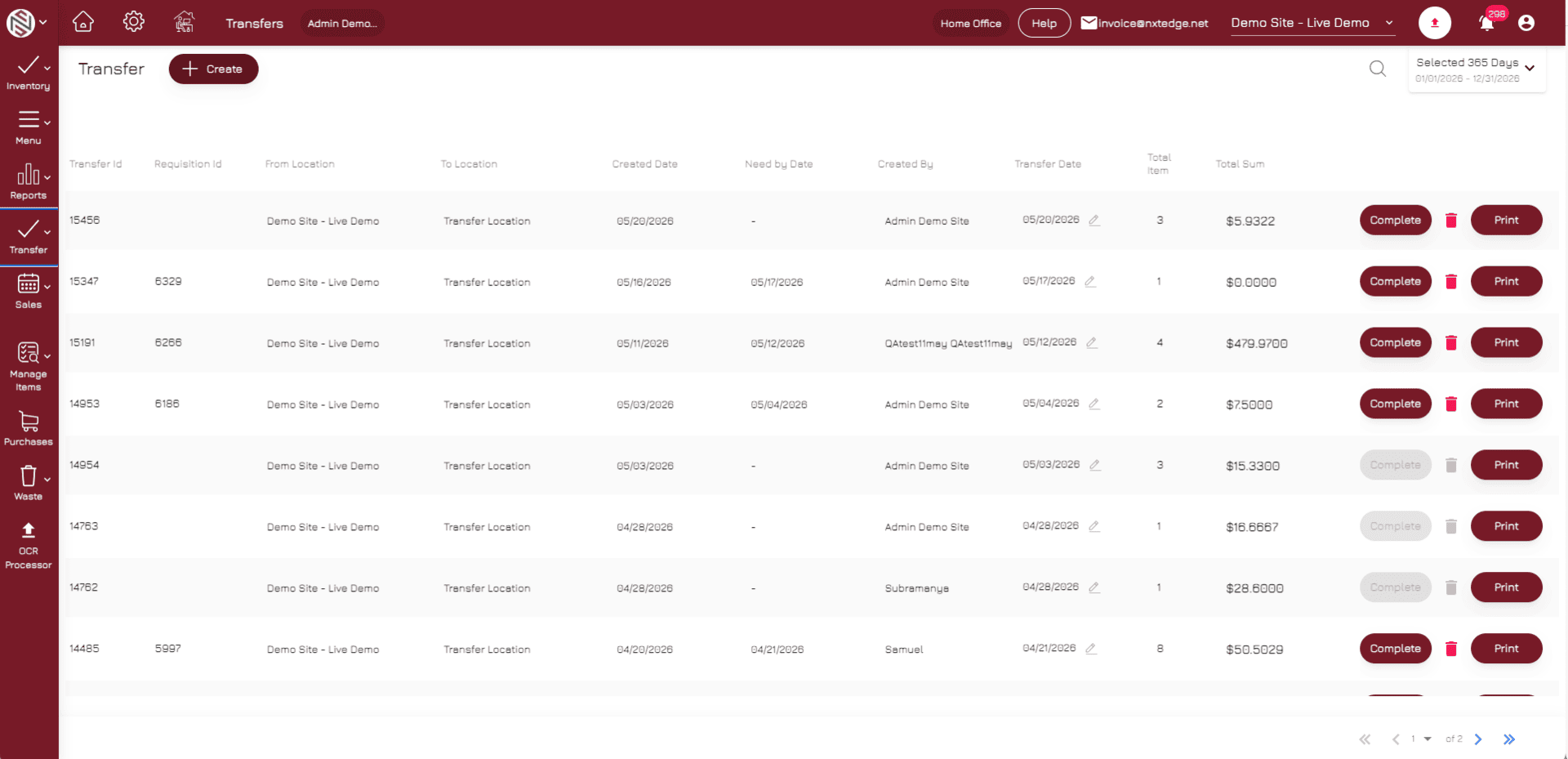
- Inventory Transfers
- Multi-Location Support
- Commissary Distribution
- Warehouse Transfers
- Automatic Quantity Updates
Track Inventory Movement
Every requisition, approval and transfer is tracked within the system. Management can review transaction history, monitor inventory movement and maintain accountability across the organization.
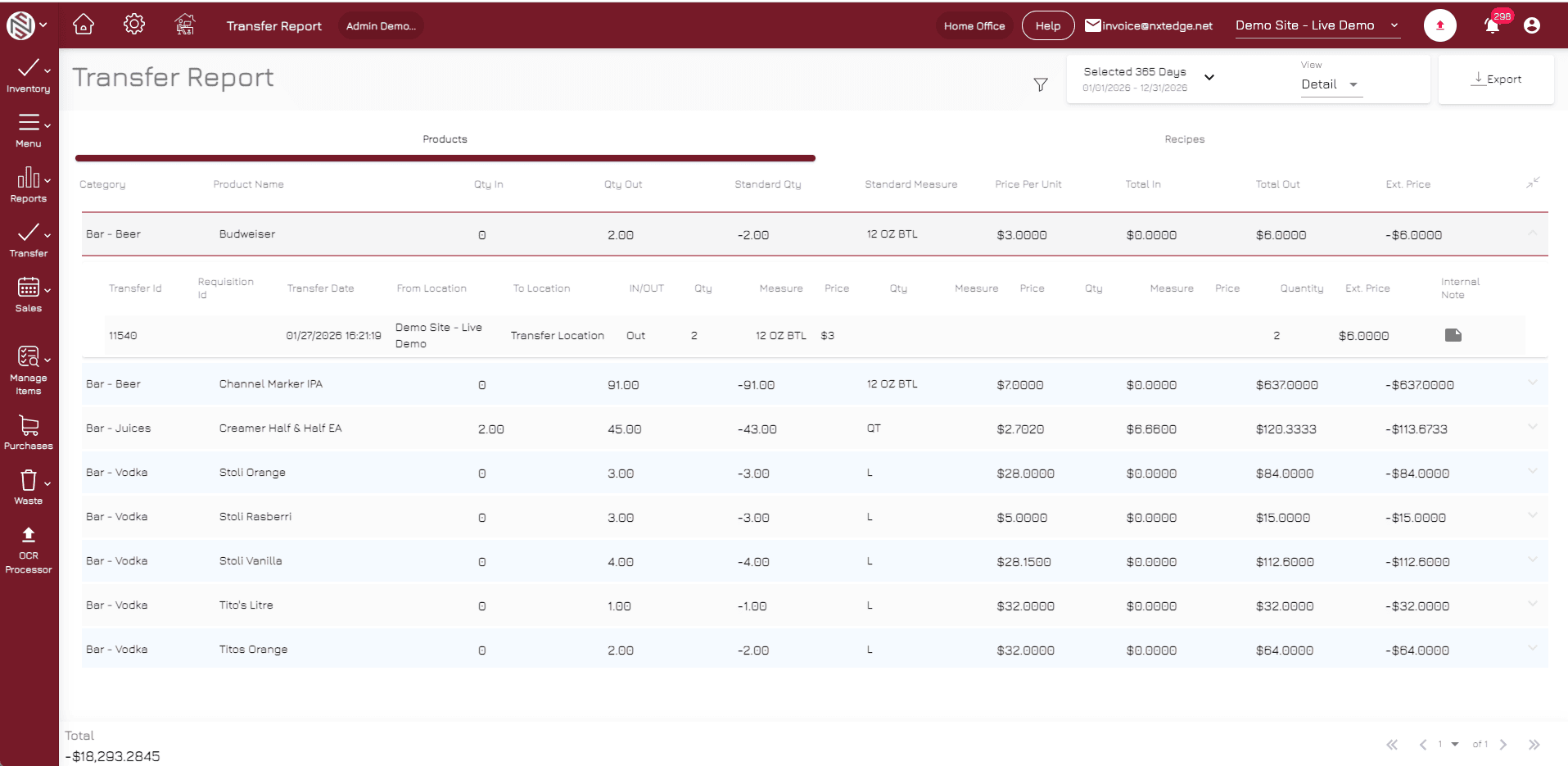
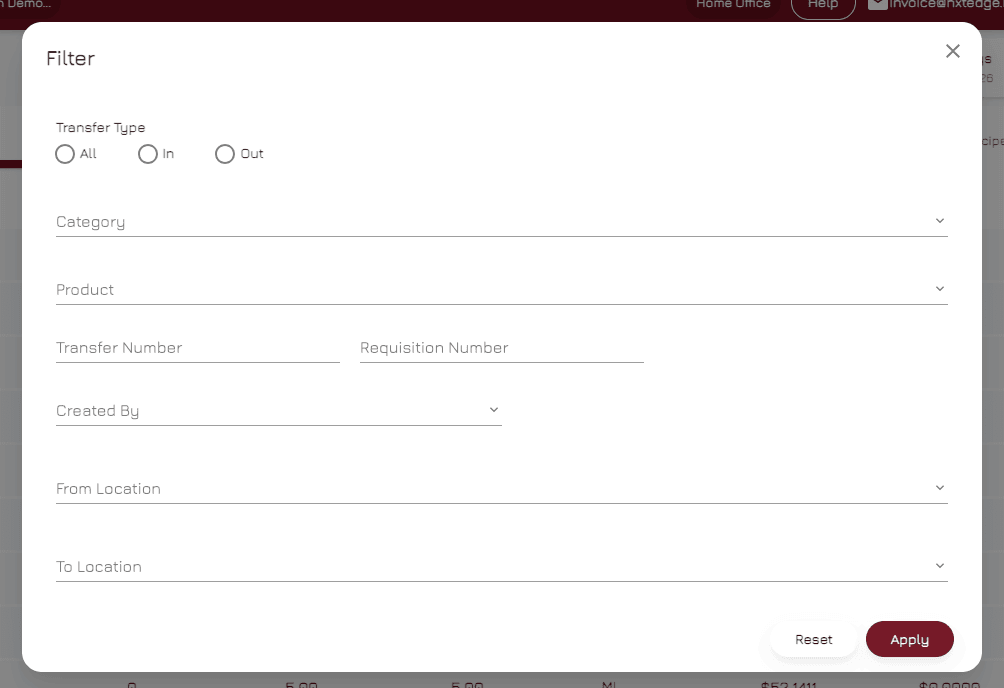
- Transfer History
- Audit Trail
- User Tracking
- Inventory Visibility
- Reporting & Analysis
Inventory Doesn't Always Stay in One Place
Transfers & Requisitions help operators manage inventory movement across complex hospitality operations. Combined with purchasing, inventory control, recipe costing and reporting, NxtEdge provides complete visibility into where products are and where they are going.
- Inventory Control
- Purchasing Management
- Recipe Costing
- Commissary Operations
- Warehouse Management
- Food Cost Reporting
- Multi-Location Management
- Operational Visibility
Ready to Improve Inventory Accountability?
Manage inventory movement between locations, departments and commissaries with complete visibility.