

Accounting Integration
What If Every Approved Invoice Posted Automatically to Accounting?
Post Approved Invoices Straight to Your Books.
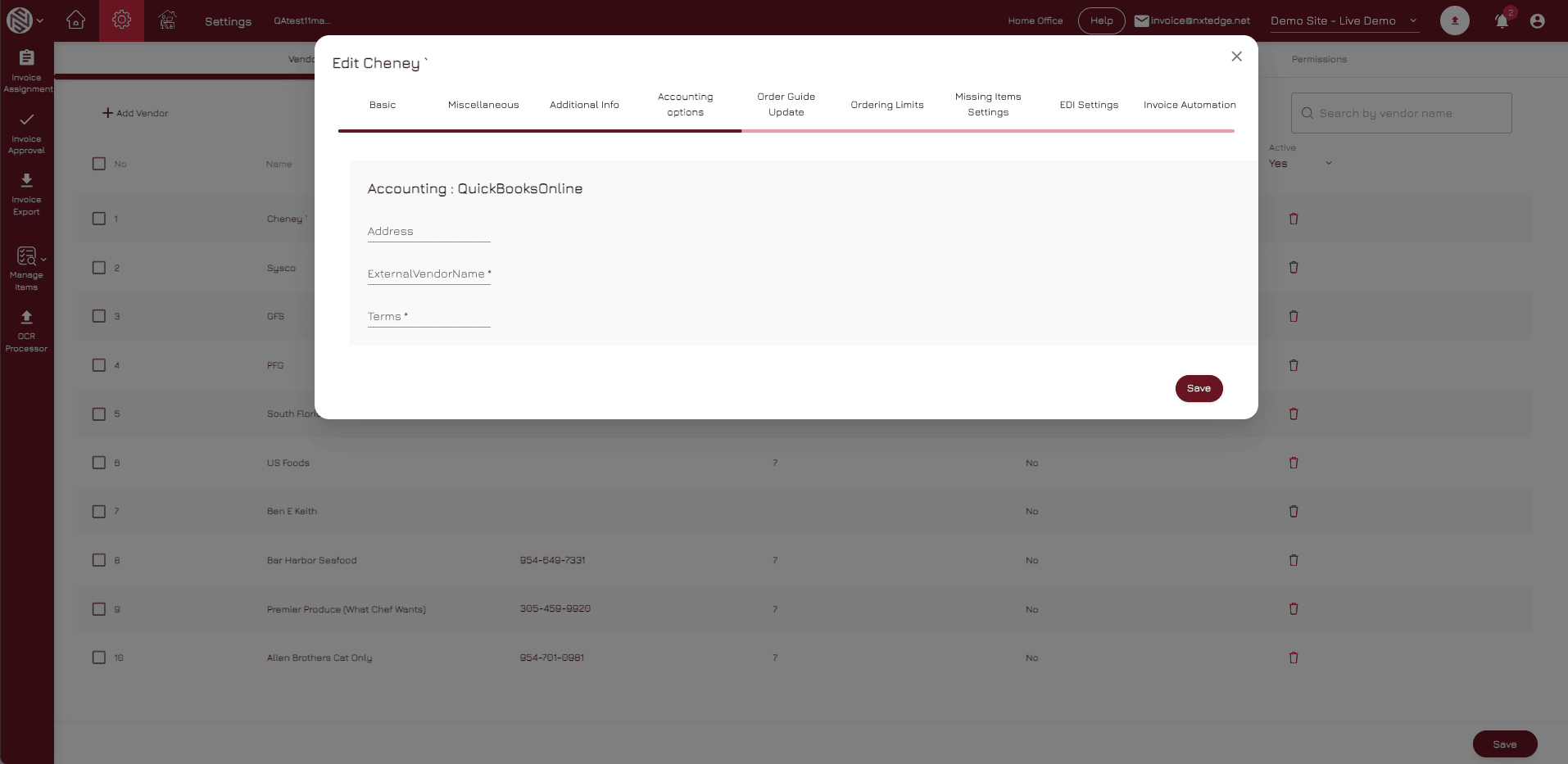
Once invoices are coded, approved and ready for export, NxtEdge automatically delivers clean accounting data directly to your accounting system. Export invoices, vendors, GL coding, terms, due dates and invoice images without duplicate entry or manual rekeying.
Whether you're using QuickBooks, Sage, M3, Jonas, Club Essentials, Northstar or another accounting platform, NxtEdge helps eliminate AP bottlenecks and streamline your accounting workflow.
- Automated Accounting Export
- GL Coding Rules
- Vendor Matching
- Invoice Image Attachments
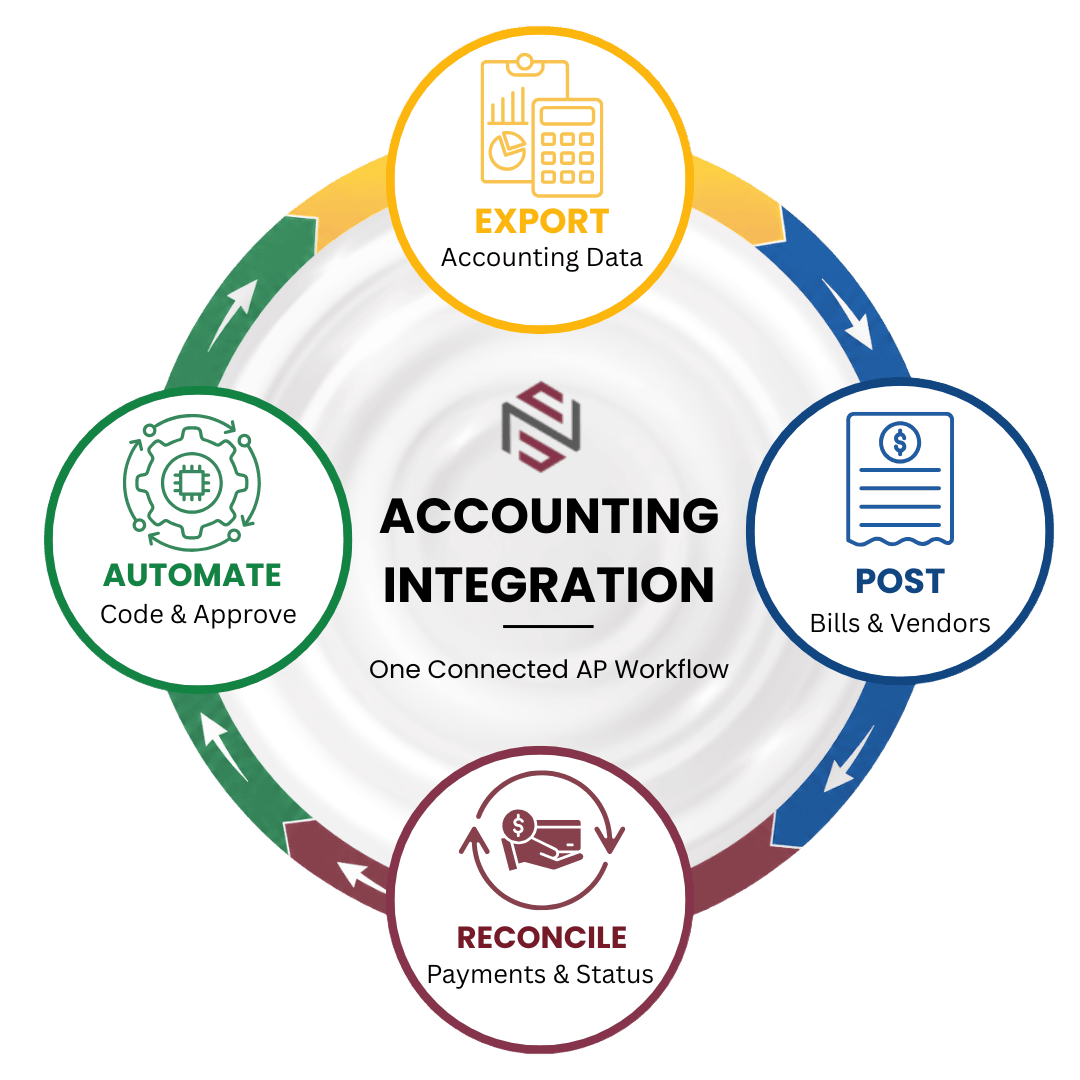

Code, Approve, Export and Reconcile
Move invoices from AP processing into accounting without duplicate entry. NxtEdge prepares accounting-ready invoice data and delivers it using the method supported by your accounting system.
Capture
Capture & Code Invoices
Invoices enter NxtEdge through OCR, EDI, Fintech or manual upload and are automatically coded using configurable GL rules.
- OCR Invoice Capture
- GL Coding Rules
- Vendor Matching
- Department Coding
- Invoice Validation
Review
Review & Approve
Invoices follow approval workflows before accounting export to ensure coding and approvals are complete.
- Approval Workflows
- Department Routing
- Approval Chains
- Audit Trail
- Invoice Review
Export
Export to Accounting
Approved invoices are exported through API, FTP, email delivery or file export depending on the accounting platform.
- API Integrations
- FTP Delivery
- Email Export
- File Export
- Automated Scheduling
Post
Post & Reconcile
Bills are created in the accounting system with vendors, GL accounts, invoice amounts, terms and due dates already populated.
- Bill Creation
- Vendor Mapping
- Terms & Due Dates
- Invoice Images
- Paid Invoice Updates
Features
Built for Hospitality Accounting Workflows
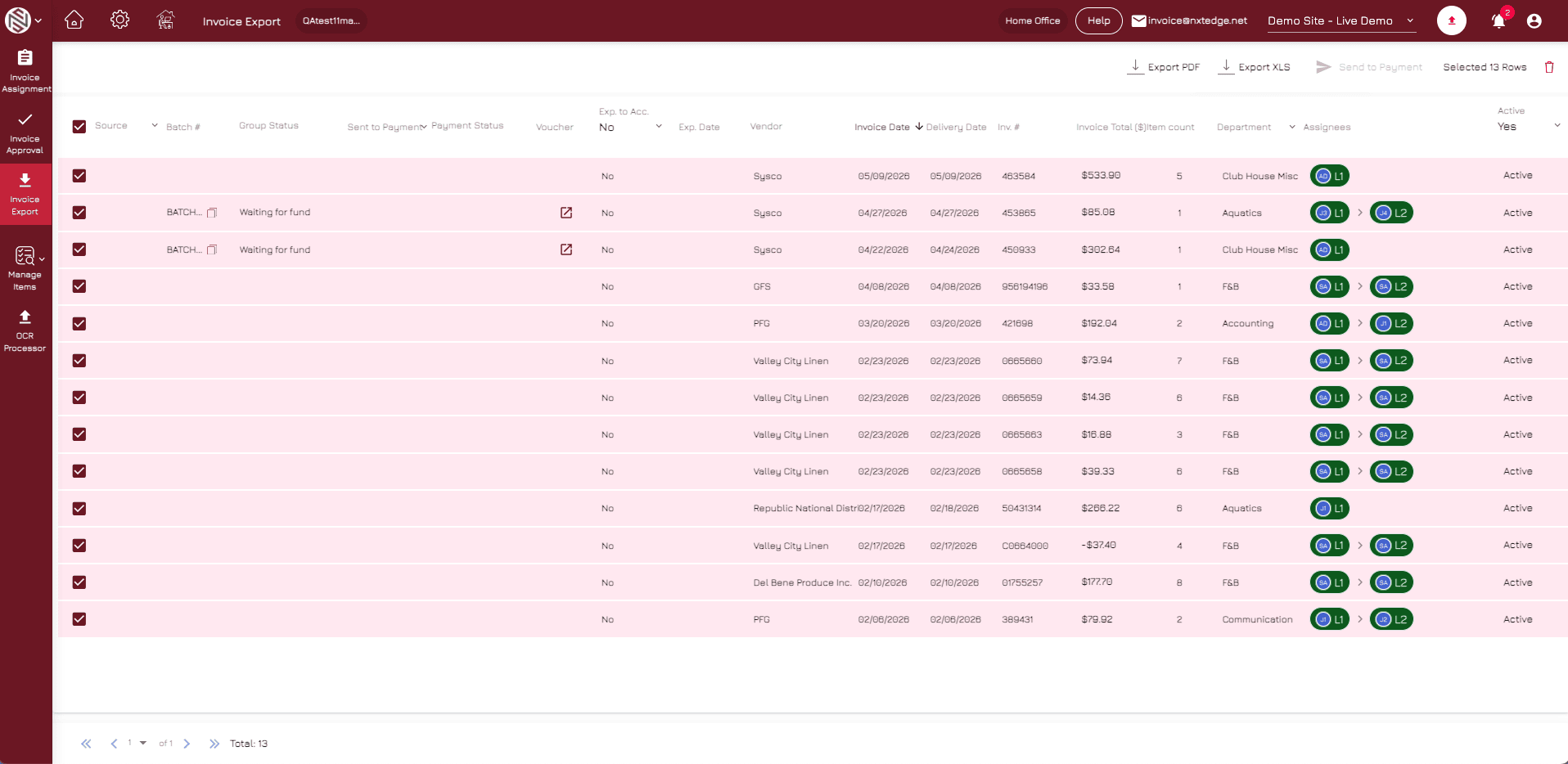
Automated Export
Automated Invoice Export
Send approved invoices directly to accounting without manual entry.
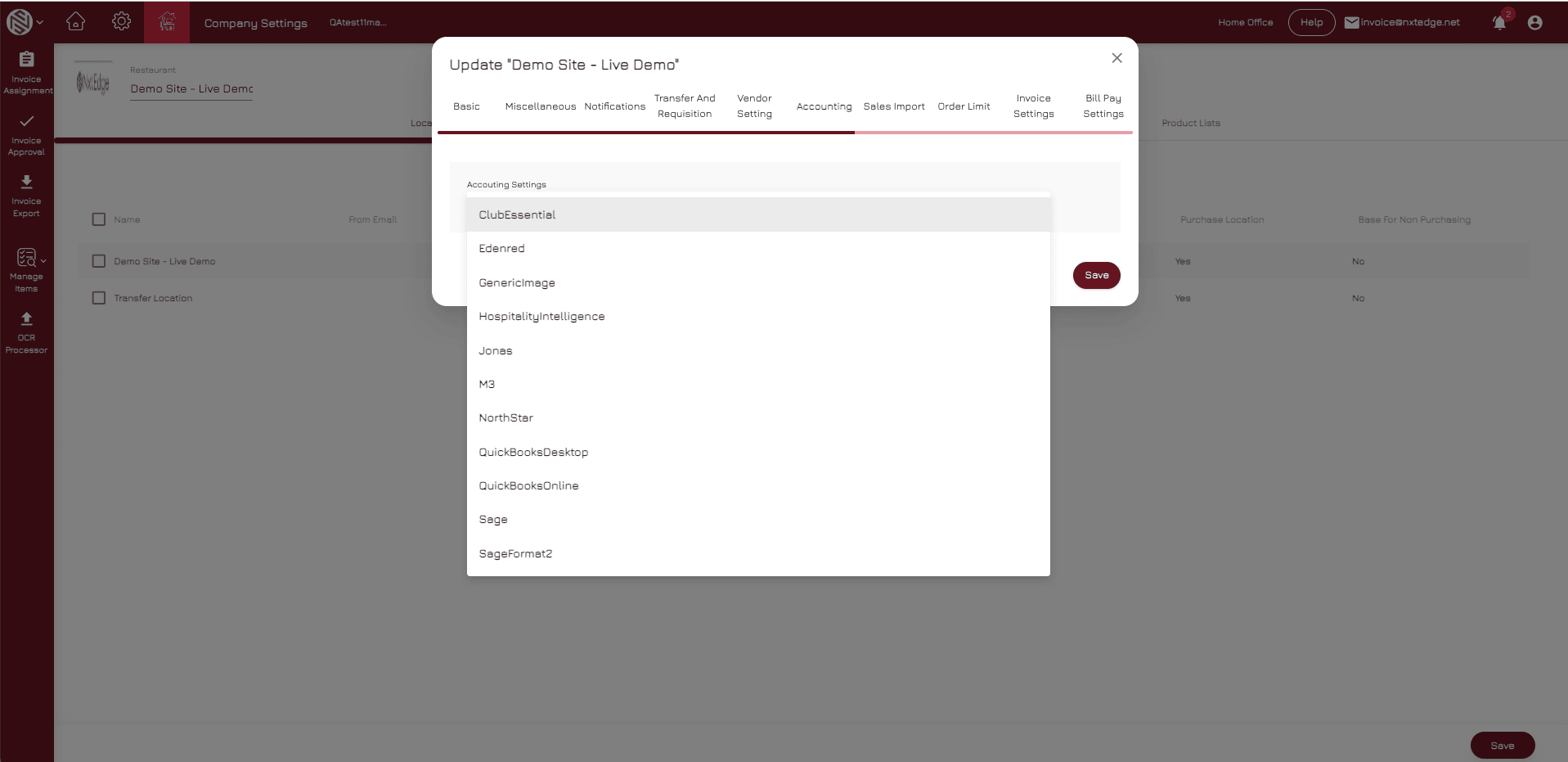
Integrations
Flexible Accounting Integrations
Support API integrations, FTP delivery, email exports and manual imports depending on your accounting software.
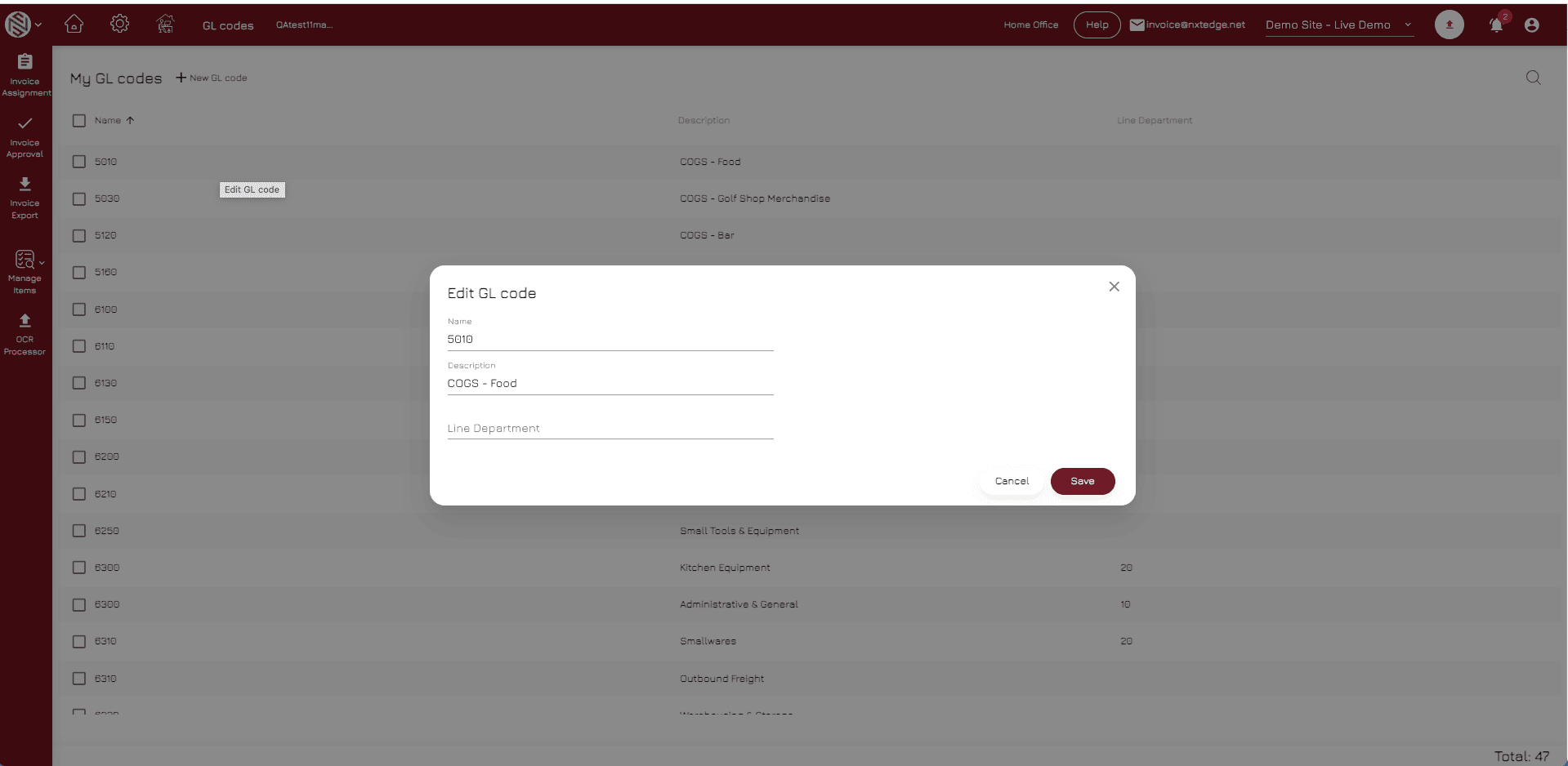
Vendor & GL Mapping
Vendor & GL Mapping
Automatically match vendors and apply GL coding rules before export.
Terms & Due Dates
Terms & Due Date Management
Invoice terms and due dates are calculated and exported with every invoice.
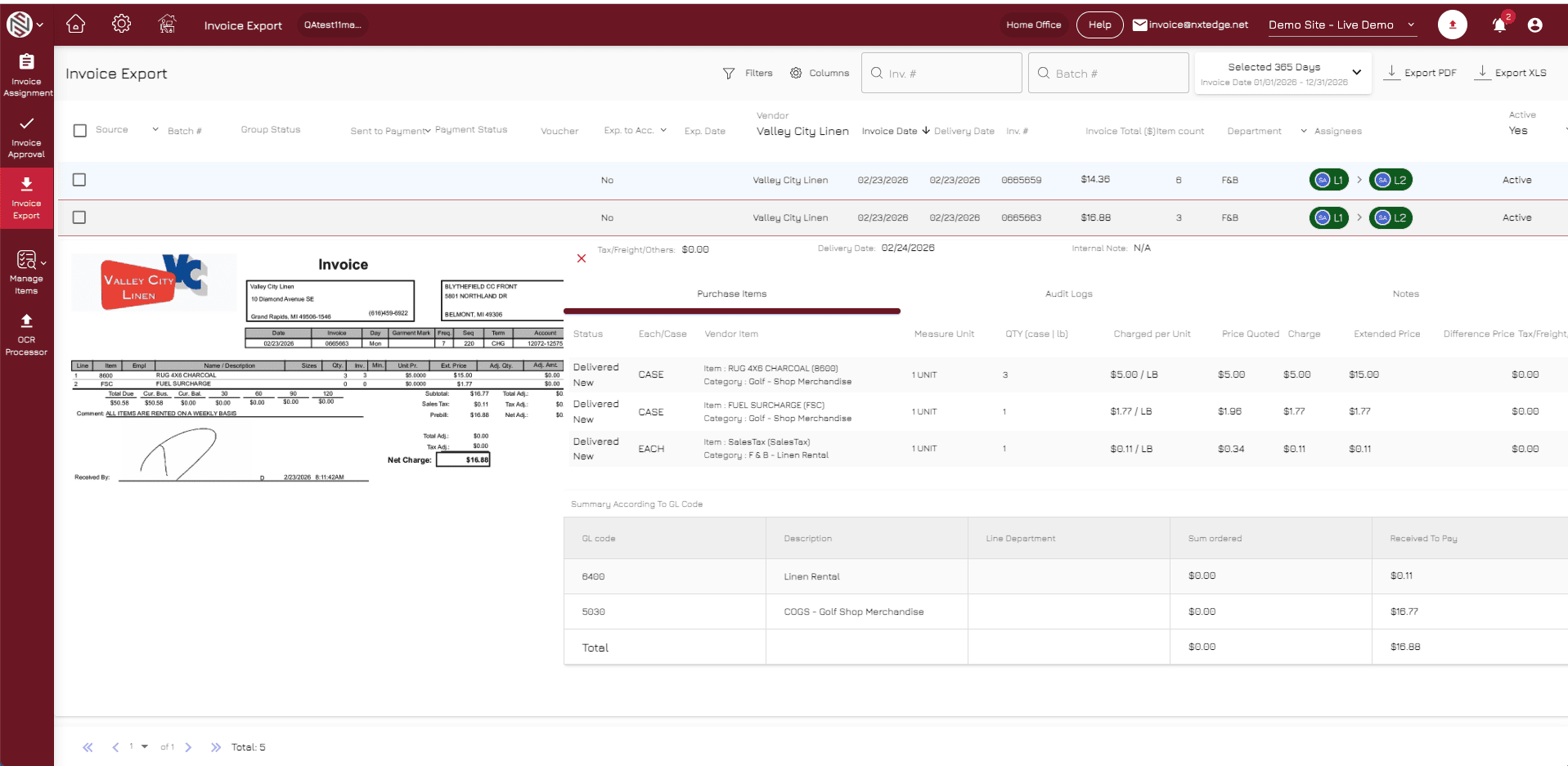
Invoice Images
Invoice Image Support
Send invoice images and supporting documentation when supported by the accounting platform.
Why It Matters
Stop Entering The Same Invoice Twice
Many hospitality operators receive invoices in one system, approve them in another and manually enter them again into accounting.
NxtEdge eliminates duplicate entry by moving accounting-ready invoices directly into your accounting workflow.
Eliminate Manual Data Entry
Reduce AP workload by exporting invoices automatically.
Improve Accounting Accuracy
Reduce coding errors, vendor mismatches and missed invoice details.
Accelerate Month-End Close
Get invoices into accounting faster with automated export workflows.
Benefits
Why Operators Use NxtEdge Accounting Integration
Save AP Processing Time
Eliminate manual invoice entry and repetitive accounting tasks.
Improve Financial Accuracy
Ensure invoices are exported with correct coding and vendor information.
Faster Accounting Workflows
Move approved invoices into accounting immediately.
Better Financial Visibility
Track invoice status from receipt through export and payment.
One Connected Workflow
Connect Invoice Automation, Approvals, Bill Pay and Accounting Integration in one platform.
Connected Solutions
Accounting Is Part of a Connected AP Workflow
Accounting Integration becomes more valuable when connected to the rest of the NxtEdge platform. Invoices move seamlessly from capture to coding, approval, payment and accounting export.
Why NxtEdge
Built for Hospitality Accounting Teams
Hospitality organizations require more than a simple accounting export. They need invoice automation, approval controls, payment workflows and accounting integration working together.
NxtEdge delivers a complete AP workflow designed specifically for hospitality operations.
Hospitality-Focused AP
Designed for restaurants, country clubs, hotels, resorts, senior living communities and multi-location operations.
Flexible Integration Methods
Support API, FTP, email and file-based integrations depending on your accounting software.
Accounting-Ready Data
Export invoices with vendor information, GL coding, terms, due dates and supporting details.
Complete AP Visibility
Track invoices from receipt through export and payment.
One Connected Platform
Invoice Automation, Invoice Approval, Bill Pay, Accounting Integration and Reporting work together in one system.
Ready to Connect AP and Accounting?
See how NxtEdge eliminates duplicate entry and moves accounting-ready invoices directly into your accounting system.