


Bill Pay
How Bill Pay Works in NxtEdge
Once invoices have been approved, NxtEdge allows authorized users to submit payments directly from the platform. Payments are securely processed through our payment partner, RePay, while NxtEdge provides complete visibility into payment status, payment history and vendor activity.
Whether you're paying a handful of invoices or managing payments across multiple departments and locations, NxtEdge streamlines the entire process from approval to payment reconciliation.
- ACH Payments
- Check Payments
- Virtual Card Payments
- Payment Status Tracking
Approve Invoices for Payment
Invoices first move through your approval workflow. Once fully approved, they become available for payment processing. Operations can use a simple one-step approval process or complex multi-level approval chains depending on organizational requirements.

- Single-Level Approval
Route invoices to a designated approver before they become available for payment or export.
- Multi-Level Approval
Create approval chains with up to four levels of review based on your workflow requirements.
- Department Controls
Assign approvals by department, location or expense category to maintain accountability.
- Approval Audit Trail
Track every approval action, comment and status change from submission to completion.
- Payment Authorization
Ensure invoices are approved before they can be released for payment processing.
Submit Payments
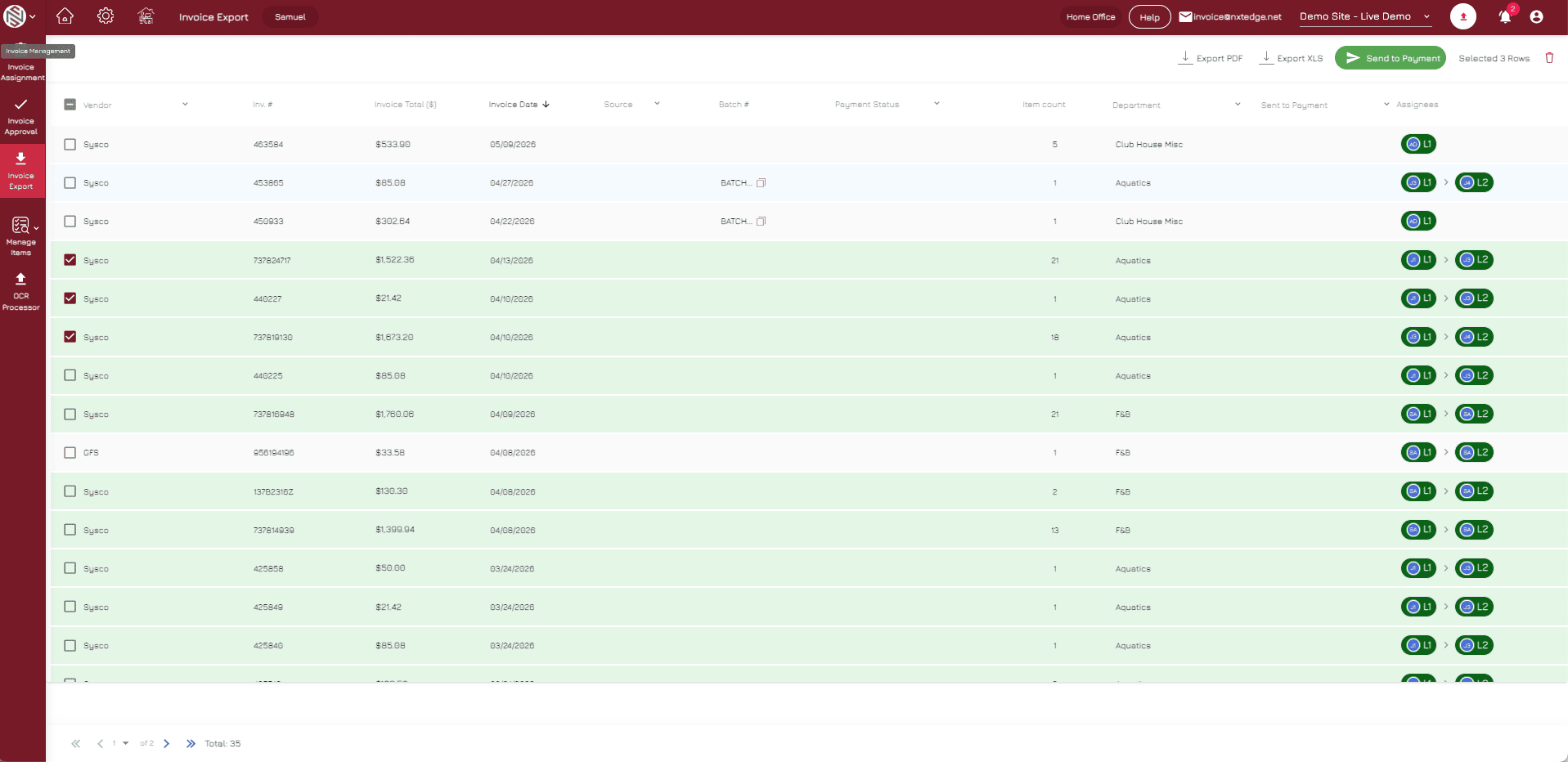
Authorized users select approved invoices and submit them for payment directly within NxtEdge. Multiple invoices can be processed together while maintaining complete visibility into vendor balances and payment activity.
- Batch Payments
Pay multiple approved invoices at once to save time and reduce administrative effort.
- Single Invoice Payments
Process individual vendor payments as needed.
- Vendor Selection
Choose which approved invoices and vendors are included in each payment run.
- Payment Review
Verify payment details before releasing funds.
- Secure Submission
Transmit payment instructions securely to the payment processor.
Vendors Receive Payment
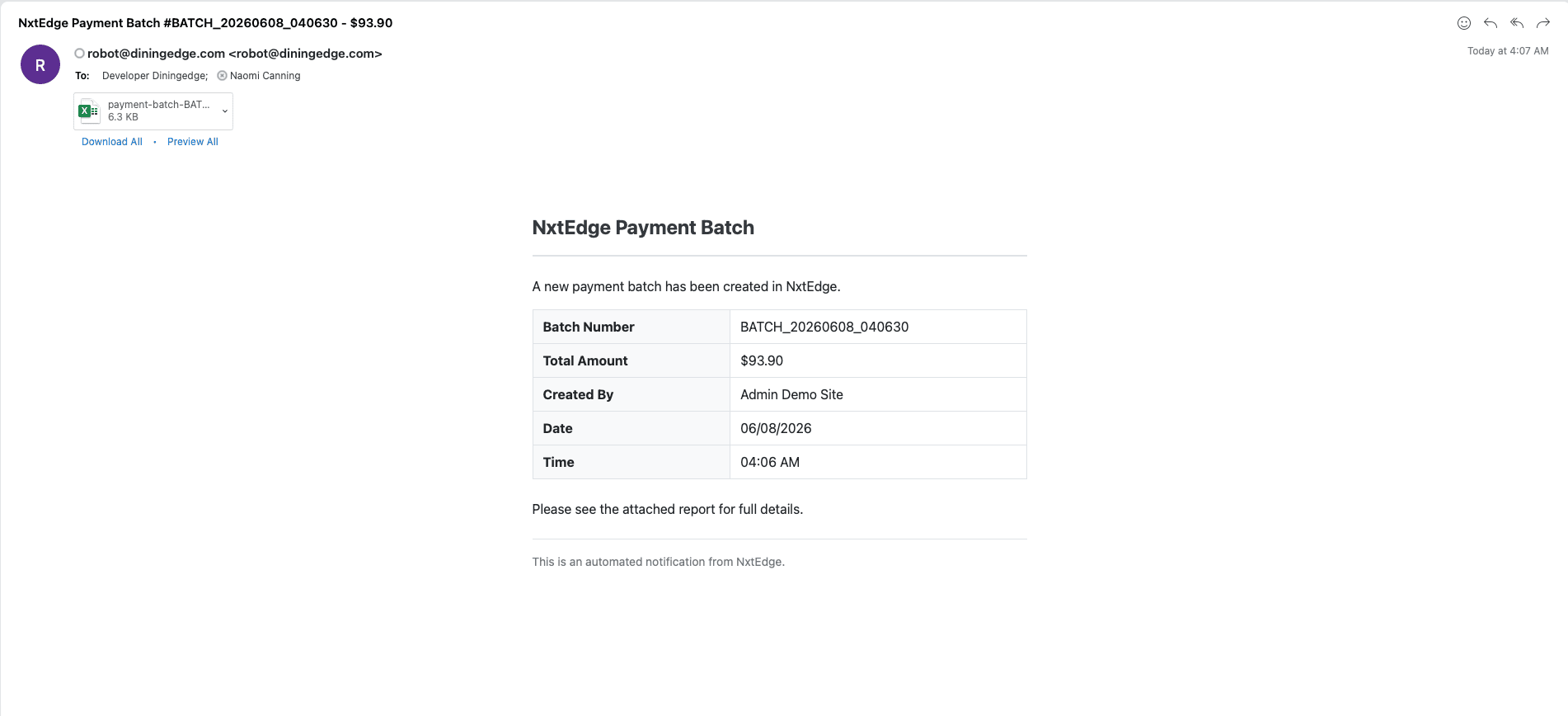
NxtEdge securely submits payment requests to RePay. Vendors are contacted and paid using their preferred payment method. Payments may be delivered through ACH, virtual card or check depending on vendor preferences and enrollment status.
- ACH Payments
Send electronic payments directly to vendor bank accounts.
- Virtual Card Payments
Pay eligible vendors using secure virtual card transactions.
- Check Payments
Generate and mail vendor checks when electronic payments are not preferred.
- Vendor Payment Preferences
Automatically pay vendors using their preferred payment method.
- Secure Processing
Protect payment information through secure payment workflows.
Track & Reconcile Payments
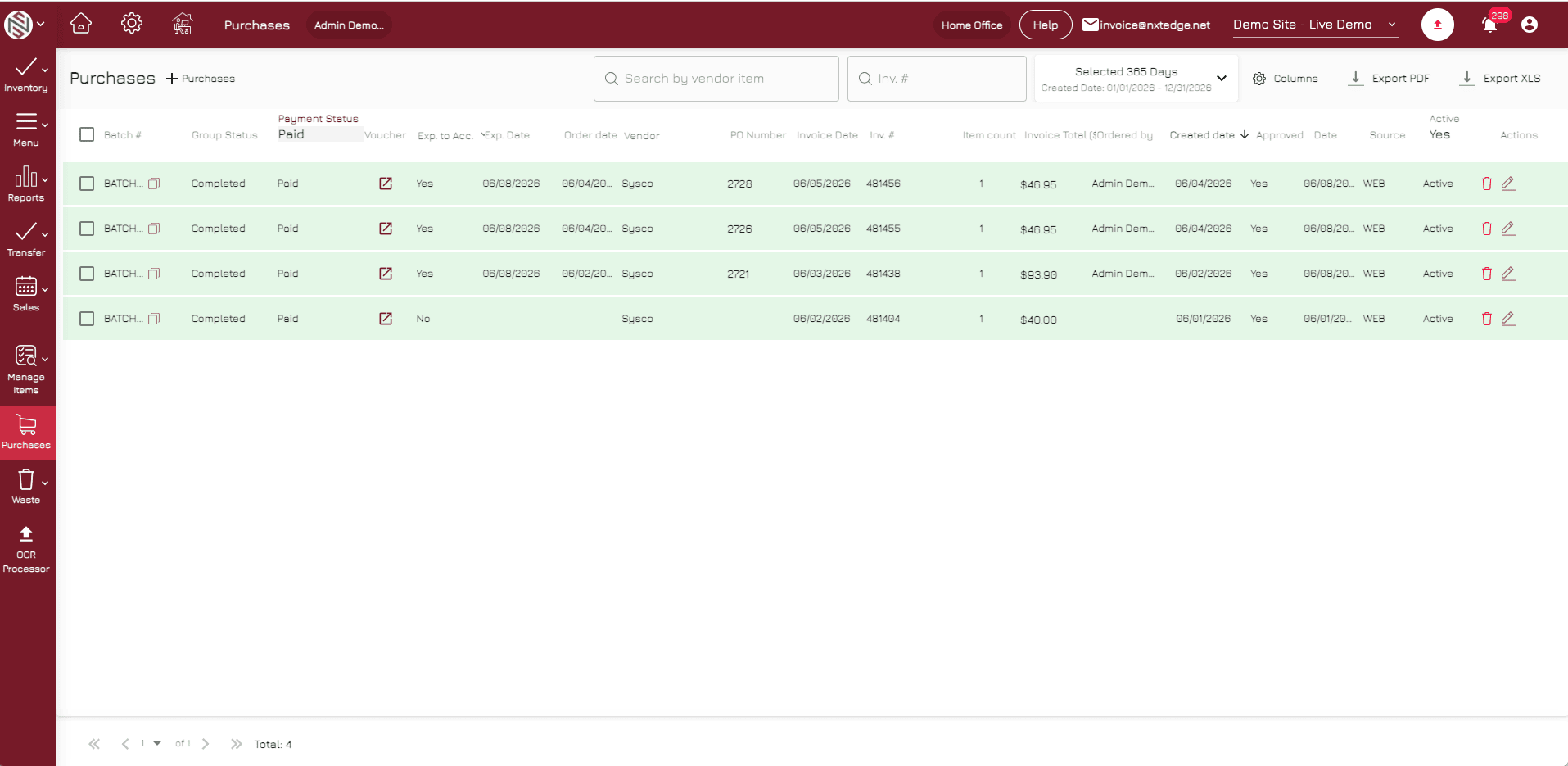
Every payment status update is automatically reflected within NxtEdge. Users can see when invoices are submitted, processing, completed or paid without needing to log into multiple systems. Once paid, invoices can be exported or updated in accounting as paid transactions.
- Payment Status Updates
Track payment progress from submission through completion.
- Vendor Payment Visibility
View payment status and history for every vendor.
- Payment History
Access complete records of all processed payments.
- Accounting Reconciliation
Reconcile completed payments with your accounting system.
- Audit Trail
Maintain a detailed record of payment activity and approvals.
From Approval to Payment in One Workflow
Bill Pay eliminates the need to manage approvals in one system, payments in another and accounting updates somewhere else. NxtEdge connects invoice automation, approvals, vendor payments and accounting into a single hospitality AP workflow.
- Invoice Automation
- Invoice Approval
- Accounting Integration
- Vendor Management
- Payment Visibility
- AP Reporting
- Digital Invoice Archive
- Multi-Location Operations
Ready to Simplify Vendor Payments?
Pay vendors faster, improve visibility and eliminate disconnected AP processes.